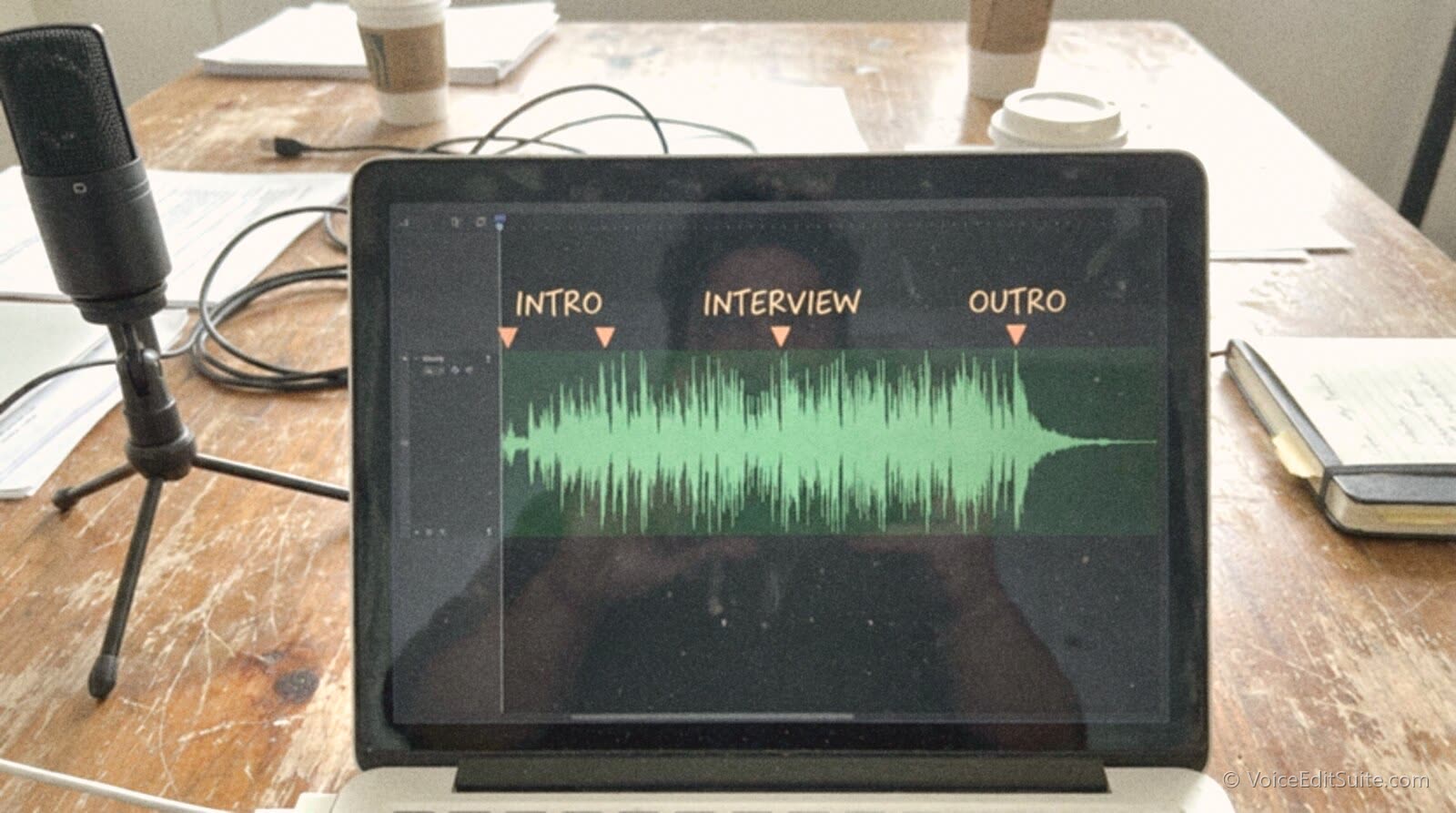
The short answer: a chapter marker is metadata embedded directly in the audio file, or in a small JSON file linked from your RSS feed, telling a podcast app exactly where one segment of an episode ends and the next begins. That differs from the timestamps you type into your show notes. A listener who taps a real chapter jumps straight to that point in the audio; one reading a timestamp in your description still has to scrub the player by hand. Two standards carry this data today: the ID3v2 chapter frames built into most MP3 files, read by Apple Podcasts, Overcast, and Pocket Casts for years, and the newer Podcasting 2.0 podcast:chapters tag, which points at an external JSON file instead.
This guide covers both standards closely enough to use them: what ID3v2's CHAP and CTOC frames store, what the podcast:chapters JSON file looks like field by field, which major apps read which format today, and two ways to add chapters to a real episode, through a hosting platform's built-in editor and by hand. If you have not published an episode yet, starting a podcast the right way from episode one makes this easier to retrofit, since consistent segment structure means far less guesswork chaptering twenty backlogged episodes at once.
What a Chapter Marker Actually Is
A chapter marker is a timestamp paired with a title, and sometimes an image or a link, stored in a structured format a podcast app can parse automatically rather than a human reading a line of text. The app builds its own chapter list from that data: a scrollable menu the listener can tap, skip ahead through, or see highlighted as the episode plays. Nothing about the underlying audio changes length or sound quality. A chapter marker only adds navigation information on top of audio that already exists, whether that information lives inside the file's own tags or in a companion file the app fetches separately.
Embedded Chapters vs. Timestamps in Your Show Notes
The confusion is understandable, since both routes look similar to a listener: a list of segments with times next to them. A well-built show notes page might list "09:20 Interview begins" as plain text, and an app like Apple Podcasts or Spotify can sometimes parse a consistently formatted line like that out of your description and turn it into tappable chapters on its own. That parsing is a convenience layered on unstructured text, not a guarantee, and only works if your timestamps follow a format the app recognizes exactly. Real chapter data, embedded in the file or linked through podcast:chapters, works the same way in every app that reads that format, regardless of how you punctuated your notes that week.
Which Podcast Apps Actually Support Chapters
Chapter support is not one feature. It is several apps independently reading one or more of three different data sources, and no major app reads all three the same way. Here is what each of the biggest podcast apps actually does, based on their own documentation and recent product announcements.
Apple Podcasts
Apple Podcasts has read ID3v2 chapter data embedded in MP3 files for years, and Apple's own creator documentation describes chapters, alongside timed links, as a way to enhance an episode once it is uploaded through Apple Podcasts Connect. The bigger recent change is automation: starting with iOS 26.2, shipped in December 2025, Apple Podcasts began generating chapters with an AI analysis of an episode's content, for shows that have not supplied their own, reaching nearly every episode except trailers and anything under about ten minutes. Creators can turn the feature off entirely inside Apple Podcasts Connect if they would rather ship no chapters than ones they did not write. An episode with none of its own no longer necessarily looks chapter-less; it just means Apple, not you, decided where the breaks fall.
Overcast
Overcast added chapter support in its 2.0 release in January 2015, and developer Marco Arment wrote at the time that the app would handle the chapter formats already in real use: Enhanced AAC chapters and MP3 chapters, the ID3v2 CHAP and CTOC frame approach described later in this guide. A show with properly embedded ID3 chapters gets a tappable chapter list and the current chapter's name shown at the top of Overcast's playback controls, the same basic behavior the app has kept since.
Pocket Casts
Pocket Casts reads chapter data from more sources than most apps, in a defined priority order: chapters a creator supplies directly, chapters delivered through the Podcasting 2.0 podcast:chapters tag, timestamps parsed out of the show notes, and chapters embedded in the media file. In July 2026, Pocket Casts added one more layer on top: when none of those sources provide chapters, the app can generate its own from an AI analysis of the episode and labels the result so listeners know it was not supplied by the creator. Creator-supplied chapters, in whichever format, always take priority over anything Pocket Casts generates on its own.
Spotify
Spotify's chapter support works differently from the other three, and it is the one most likely to disappoint a podcaster who assumes a single ID3-tagged file will look identical everywhere. Independent analysis of new episode data groups Spotify-style chapters as their own distinct mechanism, separate from ID3 and separate from Podcasting 2.0 namespace chapters, lining up with Spotify's creator-facing tools favoring description-based timestamp parsing over reading embedded file metadata directly. The safest move for a show that cares about Spotify specifically is a clean, consistently formatted timestamp list in the description, alongside whichever structured format you use elsewhere.
The Two Real Standards Behind Chapter Markers
Underneath all of that app-by-app behavior sit exactly two real technical standards, and understanding both is what actually lets you add chapters that survive being passed between a hosting platform, an RSS feed, and four different listening apps.

The older standard is part of the ID3v2 tagging format most MP3 files already carry for the track title and artist name. An addendum to that format, published well over a decade ago, defines two new frame types for chapters: a CTOC frame listing which chapters exist and in what order, and one CHAP frame per chapter storing a start and end time in milliseconds, plus optional nested data such as a title, artwork, and a link. Because this data physically lives inside the audio file, it travels with the file wherever it goes and needs no separate hosting step for an app to read it.
The newer standard comes from the Podcasting 2.0 project and solves a different problem. ID3 chapters are locked to one specific audio file, so fixing a typo in a chapter title after publishing means re-encoding and re-uploading the whole episode. The podcast:chapters tag instead sits inside your RSS feed's item entry and points to a separate JSON file hosted anywhere publicly reachable on the web. An app that supports the tag fetches that file, at playback time or when it first downloads the episode, and builds the same chapter list from it. Because the file is separate from the audio, you can correct a title or add a missing chapter weeks later, something no ID3-based workflow allows without touching the published audio.
ID3v2 Chapter Frames: CHAP and CTOC
The ID3v2 Chapter Frame Addendum, published at id3.org, is the specification behind every ID3-tagged chapter you have tapped through in a podcast app. A CTOC frame establishes the table of contents: an ordered list of element IDs for each chapter, plus a flag marking whether it is the file's top-level table. Each CHAP frame then supplies one chapter's data: an element ID matching an entry in the CTOC list, a start and end time in milliseconds, and byte offsets most tools leave unset. Optional sub-frames inside each CHAP frame carry the readable parts: TIT2 for the title, APIC for artwork, WXXX for a related link. That is why art and links can travel inside one MP3 with no separate JSON needed, at the cost of every edit requiring re-tagging and often re-uploading the audio.
The podcast:chapters Tag and JSON Chapters Format
The podcast namespace's own specification keeps the file format simple on purpose. The root object needs only two required fields: a version string and a chapters array holding one object per chapter. Inside each chapter object, only startTime is required, in seconds rather than ID3's milliseconds, with decimal precision for a fraction of a second. Everything else, a title, an img for artwork, a url for something related, an endTime, and a toc flag that can hide a chapter while keeping its metadata, is optional. The file should be served as application/json+chapters, and chapters are assumed already sorted in ascending order by startTime rather than re-sorted by the app.
A Worked Example: One Episode's Chapters File
Here is what an actual chapters.json file looks like for a 45 minute episode broken into five segments, matching the timeline shown earlier. Saved anywhere public and referenced from the feed with a podcast:chapters tag, this is everything a Podcasting 2.0 app needs to build a full chapter list, including one piece of artwork on the second segment and a related link on the third.
Example chapters.json
{ "version": "1.2.0", "title": "Episode 142: Why Nobody Finds Your Back Catalog", "chapters": [ { "startTime": 0, "title": "Cold open" }, { "startTime": 105, "title": "Why chapter markers help a show grow", "img": "https://example.com/chapters/growth-chart.jpg" }, { "startTime": 560, "title": "Interview: tagging a daily news show", "url": "https://example.com/guest-bio" }, { "startTime": 1450, "title": "Live listener questions" }, { "startTime": 2270, "title": "Recap and next episode preview" } ] }
Every field matches the specification exactly: seconds for startTime, an img only on the chapter with real art, and a url only where there is something real to link to. There is no requirement to use every optional field on every chapter; a file with nothing but startTime and title on each entry is still fully valid.
How to Actually Add Chapters: Two Real Routes
Most podcasters never touch a CHAP frame or write JSON by hand, and that is fine: a good podcast hosting platform can handle the entire ID3 side of this for you. The manual route still matters for anyone whose host does not support chapters, anyone who specifically wants a podcast:chapters JSON file, or anyone troubleshooting why chapters show up in one app and not another.
Route One: Your Hosting Platform's Built-in Editor
Several major hosts, including Buzzsprout, Transistor, Captivate, Castos, and Podbean, now build a chapter editor directly into the episode dashboard, which is the easiest route for almost everyone. Buzzsprout's version is a good example of how this generally works end to end.
- Upload and publish the episode as normal, then open its page in your hosting dashboard and find the chapters tool, usually its own tab separate from the main episode settings.
- Use the waveform view to click directly on the waveform at the point each new segment starts, typing a short title for each click, the fastest way to place markers precisely while listening back.
- Or switch to a plain-text mode and paste a list of timestamps and titles you already wrote while editing, one per line, faster than clicking through a long episode from scratch.
- Publish the changes. The host embeds standard ID3v2 CHAP and CTOC frames into the audio file behind the scenes, so the result shows up in Apple Podcasts, Overcast, and Pocket Casts without you touching a tagging tool.
Route Two: Tagging the File by Hand and Publishing a JSON File
This route gives you full control over both standards at once, which matters if your host has no chapter tool, or if you specifically want a podcast:chapters JSON file so chapters can be edited after the episode ships.
- Finalize your edit first and write down the real timestamp where each segment starts. This is far less tedious if your editing pass already cut the dead air and false starts cleanly, since boundaries land on round, memorable numbers instead of shifting with every extra breath trimmed from the open.
- Embed ID3v2 chapters with a dedicated chapter-tagging tool or library that explicitly documents CHAP and CTOC support, since ordinary MP3 tag editors built around track titles and album art generally do not expose chapter frames at all. Convert each timestamp to milliseconds and give each chapter a title through its TIT2 sub-frame.
- Write a chapters.json file following the structure above, with startTime in seconds this time, and host it at a stable, publicly reachable URL. Your own website is usually simplest, since the file needs to stay at that exact address for as long as the episode is live.
- Add a podcast:chapters tag inside that episode's item block in your raw RSS feed, pointing url at the JSON file's address and type to application/json+chapters. Most managed dashboards do not expose raw feed XML, so this typically needs a host that supports Podcasting 2.0 tags, or a feed you control directly; understanding how your RSS feed is actually built makes this far less intimidating than it sounds.
- Check the result in at least two apps using different mechanisms, one that reads ID3 and one that reads the namespace tag, before calling it done, since a mistake in one format will not necessarily show up in the other.
Do both if you can
ID3 chapters and a podcast:chapters JSON file are not competing options. Most serious shows ship both, since some hosts strip custom tags on upload and some apps still only read embedded ID3 data. Covering both formats is the only way to guarantee a listener sees the same chapter list no matter which app they use.
↗ Try the tool
Auto Clean Up
Clean, well-labeled chapters start with clean, well-labeled audio. Auto Clean Up cuts the dead air, false starts, and breath noise out of a raw recording automatically, which means the segment boundaries you write down while reviewing the edit land on real, stable timestamps instead of shifting every time you trim one more flub out of the intro. Upload the raw episode, get back a clean file with timestamps that are actually worth turning into chapters.
Open Auto Clean Up →Why Chapters Help Discovery, Retention, and Navigation
None of this is worth the effort if chapters do not change listener behavior, and the mechanism is straightforward. A chapter list turns one long audio file into a menu, and a menu is something a person can scan in three seconds instead of scrubbing blindly through forty-five minutes of timeline to find the part a friend mentioned.
Retention is the most direct effect. A listener who can jump straight to the interview rather than sitting through eight minutes of news and banter first is far less likely to abandon the episode, especially on a show with a format long-time listeners already expect, where the regular segments are exactly what a returning listener wants to skip past some weeks. The same navigation also helps accessibility: a chapter list is a basic structural outline for anyone navigating by screen reader, or anyone who processes audio more easily in smaller, labeled pieces.
Discovery is the less obvious benefit, and it depends on which standard you use. A podcast:chapters JSON file is plain, crawlable text at a public URL, even though no major search engine currently builds a dedicated feature around indexing that file's content the way it indexes a show notes page. What chapters reliably do today is make an episode easier to repurpose: a clearly labeled 9:20 to 24:10 interview is a far easier thing to pull out and turn into a short-form video clip than a vague mental note of "somewhere in the middle," because the exact boundary is already written down to the second.
Adoption still has real room to grow, which is itself a reason to treat chapters as a competitive edge rather than a box everyone already ticks. An analysis of roughly 1.8 million new episodes published in April 2024 found only about 1 in 27 carried chapter information of any kind, and ID3v2 chapters remained the single most common mechanism, used in about 1.93 percent of new episodes, nearly one and a half times the rate of Podcasting 2.0 namespace chapters at 1.26 percent. For a show competing against the flood of new podcasts launching every year, being one of the roughly 96 percent still shipping with no usable chapter data is an easy gap to close.
Frequently Asked Questions
Do I need both ID3 chapters and a podcast:chapters JSON file, or just one?
Just one gets you partial coverage, not full coverage. ID3 chapters reach Apple Podcasts, Overcast, and Pocket Casts' embedded-media fallback without a separate file, while a podcast:chapters JSON file reaches Podcasting 2.0 aware apps and lets you fix chapter titles after publishing without re-uploading audio. Shipping both is the only way to guarantee the same chapter list shows up everywhere, and it is what most hosts that support chapters at all actually do behind the scenes.
Why don't my chapters show up on Spotify the same way they do on Apple Podcasts?
Spotify's chapter support works off a different mechanism than the ID3 and Podcasting 2.0 routes the other major apps rely on, leaning on timestamp parsing tied to the episode description rather than reading embedded file metadata directly. The fix is a clean, consistently formatted timestamp list in your episode description in addition to whatever structured chapter format you use everywhere else, rather than assuming one file behaves identically across every platform.
If Apple Podcasts generates chapters automatically now, do I still need to add my own?
Only if you want control over where the breaks actually fall. Apple's automatic chapters, rolled out with iOS 26.2 in December 2025, cover episodes that have not supplied their own, using an AI analysis of the episode's content, and creators can turn the feature off entirely inside Apple Podcasts Connect. It is a safety net for shows that never add their own, not a reason to skip doing it yourself if you care exactly where a listener lands when they tap a chapter title you actually wrote.
How many chapters should one episode actually have?
Enough to mark a genuine change of subject, and no more than that. A 45 minute interview show might reasonably have four or five chapters: an open, the interview, a listener question segment, and a close. A daily news show with six distinct stories might have six or seven. Chaptering every two minutes defeats the purpose, since a list a listener has to scroll through at length is not meaningfully faster to scan than the raw timeline was.
What tools actually let me add ID3 chapter frames by hand?
You need something built specifically for the CHAP and CTOC frames, since general-purpose MP3 tag editors built around track titles and album art typically do not expose chapter frames at all. Dedicated chapter-tagging apps and command-line tagging libraries that explicitly document CHAP and CTOC support are the right category to look for, and most podcasters who go this route do it once or twice before switching to a host with a built-in chapter editor for everything after.
Does the order I list chapters in the JSON file matter?
The Podcasting 2.0 specification assumes the chapters array is already sorted in ascending order by startTime, and apps are not required to re-sort it for you. Build the file in the order the chapters actually occur, and double-check it after any last-minute edit that shifted a timestamp, since one chapter listed out of order can make an app's chapter list jump around in a way that looks broken even though every timestamp is correct.
Sources and Further Reading
- Podcast Namespace, podcast:chapters tag specification: the Podcasting 2.0 project's own documentation for the tag's required url and type attributes, and why chapters live in a separate file instead of the audio itself.
- Podcast Namespace, JSON Chapters format specification: the exact field-by-field schema for a chapters.json file, including the worked examples this guide's own example chapter file is based on.
- ID3.org, ID3v2 Chapter Frame Addendum: the specification defining the CHAP and CTOC frames that embedded MP3 chapters are built from, including millisecond-precision start and end times and the TIT2, APIC, and WXXX sub-frames.
- Livewire Labs, Statistics About Podcast Chapters: an analysis of roughly 1.8 million new podcast episodes from April 2024, the source of this guide's adoption figures for ID3, Podcasting 2.0 namespace, Podlove, and description-based chapters.
- Buzzsprout, Chapter Markers help article: a hosting platform's own documentation for its waveform and plain-text chapter editors, used here as the worked example of a built-in chapter tool.
- Marco Arment, Overcast chapter support: the Overcast developer's own announcement of chapter support in the app's 2.0 release and the chapter formats it reads.
- Pocket Casts, AI Generated Chapters Are Here: Pocket Casts' own announcement of its chapter source priority order and its 2026 AI-generated chapter fallback.
- Apple Podcasts for Creators, Enhance episodes with chapters, links, and more: Apple's own creator documentation covering chapters and the automatic chapter feature introduced with iOS 26.2.
- Spotify for Creators, Episode chapters: Spotify's own creator-facing documentation on how it handles chapters.