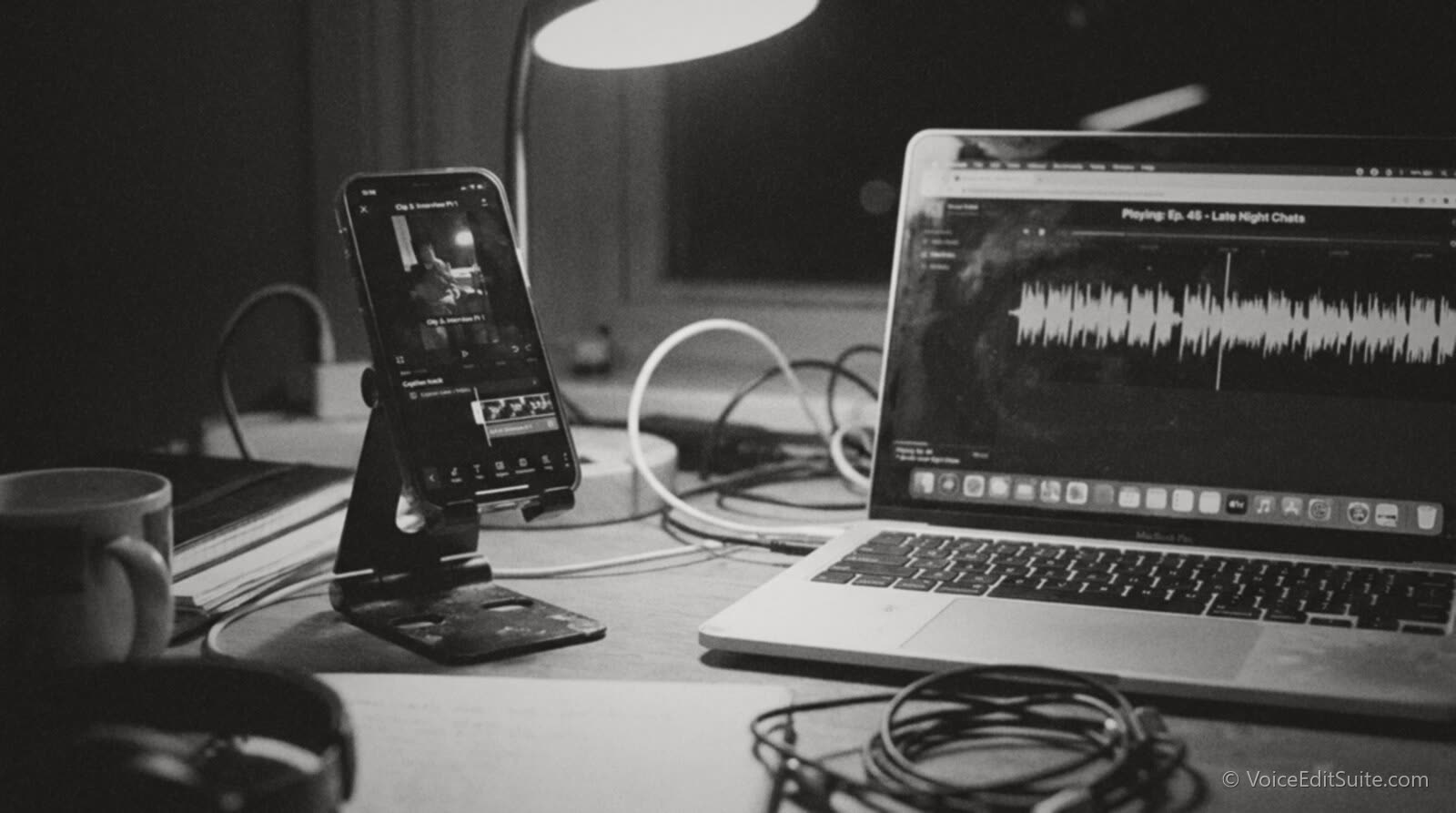
The short answer: pull the three to six minutes of your episode that work as a self-contained thought, with a hook inside the first few seconds that makes sense with zero context, then caption it in burned-in text because most people will watch with the sound off. Everything else, which tool you use, whether you add a waveform or an audiogram, how long to cut it, is a detail underneath that one decision. Most podcasters get the order backward: they pick a clip length first, run it through an app, and discover afterward that the thirty seconds they chose starts mid-sentence and means nothing without the twenty minutes before it.
This matters more now than it did even two years ago, because the clip has quietly become the primary way most people discover a podcast they have never heard of. Nobody finds a ninety-minute interview show by browsing a podcast app's charts. They see forty seconds of it on a vertical feed, decide the host sounds like someone worth fifteen more minutes of their life, and go looking for the full episode afterward. That discovery path runs entirely through short-form video platforms that have nothing to do with podcast hosting, which means the clip is doing marketing work the show itself cannot do on its own feed.
The rest of this guide covers how to actually find that clip in a long recording, what the real clipping tools do differently from each other, how captions and audiograms work and why burning text into the frame still beats relying on a platform's auto-captions, and the length and aspect-ratio numbers each platform has actually published rather than the folklore version repeated across marketing blogs. It also covers the case that applies just as directly to a solo voice actor: turning a demo read or a sample narration into the same kind of short, self-contained clip for a portfolio reel.
What Actually Makes a Clip Worth Cutting
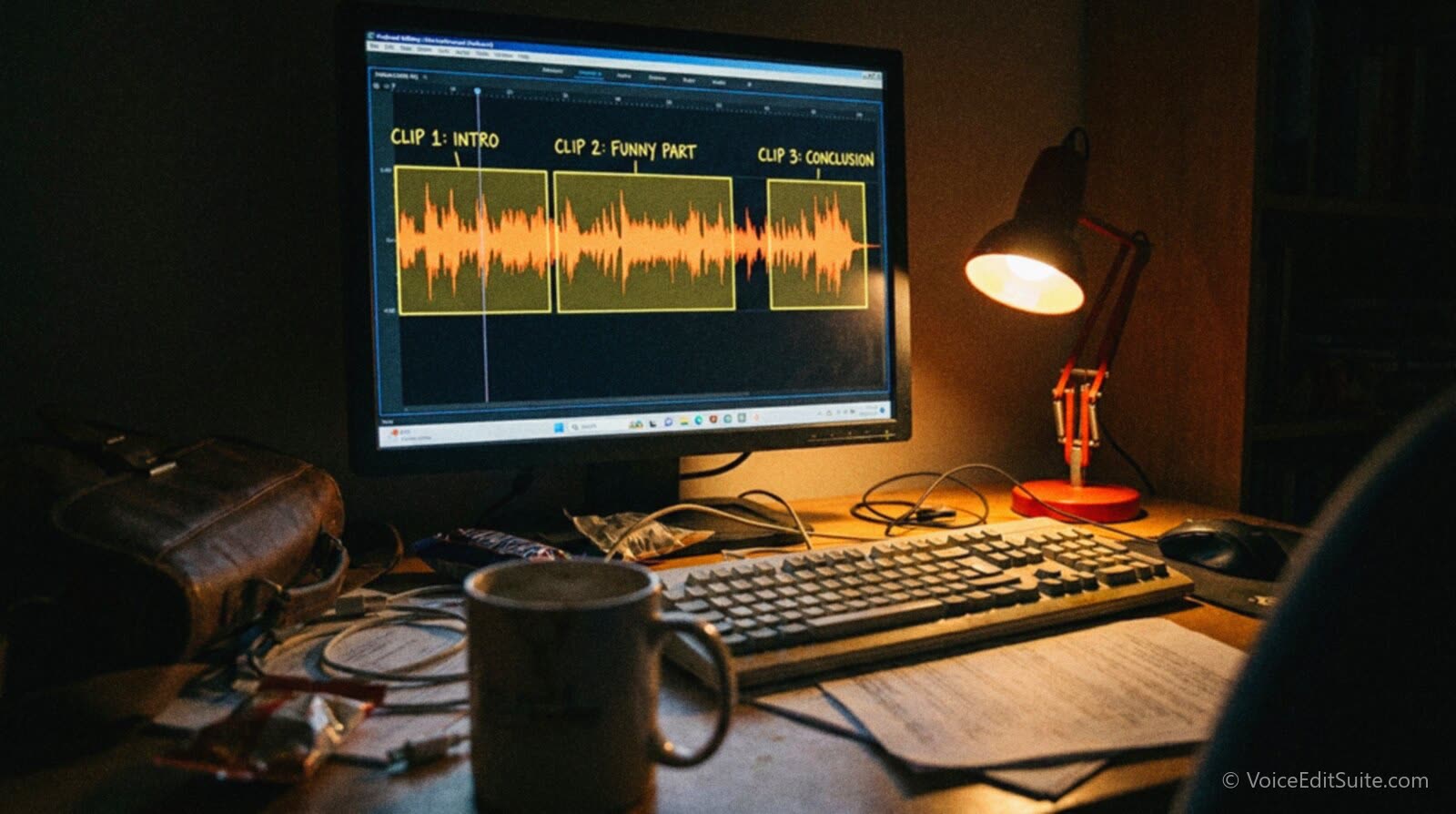
A moment earns a clip when it survives being removed from everything around it. That is the entire test, and it rules out most of what feels exciting in the room while recording. A great comeback to a point made ten minutes earlier fails the test, because a viewer dropping in cold has no idea what point it is answering. A single, self-contained claim, story, or piece of advice that starts and finishes inside a few sentences passes the test, because nothing outside the clip is required to understand it.
Inside that filter, look for the same handful of shapes every time you scan a transcript for candidates.
- A specific claim or number, not a vague opinion. "Most people quit podcasting in the first seven episodes" clips; "podcasting is harder than people think" does not.
- A short story with a clear beginning and end, ideally one with a twist or a payoff the listener did not see coming in the first sentence.
- Disagreement, even mild. Two hosts or a host and a guest landing on different sides of something is naturally more watchable than agreement, because the viewer wants to see how it resolves.
- A practical, repeatable piece of advice stated plainly enough that someone could act on it without hearing the rest of the episode.
- An emotional beat, a moment where someone's tone genuinely shifts, which reads as authenticity rather than a prepared talking point and tends to outperform polished delivery on these platforms.
The hook, the first few seconds of the clip itself, is a separate decision from which moment you chose, and it is the one most creators skip. The clip should not open where the full episode happened to be at that point; it should open with whichever sentence inside your chosen segment states the point most plainly, even if that sentence originally came in the middle of the thought. Reordering two sentences so the punchline leads is a completely normal and expected edit for this format, and it is the single highest-leverage change you can make to a clip before you touch captions, music, or framing at all.
If you are a voice actor rather than a podcaster, the same test applies to a demo reel clip pulled from a longer narration sample or a client read you have permission to share. A thirty-second cut from a two-minute corporate narration passes the self-contained test if it is one complete sentence or idea delivered with your best read of the piece, not the three seconds in the middle where your pacing happened to be fastest. The goal is identical: something a stranger with zero context understands and reacts to inside the first few seconds. A portfolio website built around full samples still benefits from a handful of these short, self-contained cuts doing the same discovery job a podcast clip does, pointing a cold viewer back toward the longer work.
Finding the Moment Without Re-Listening to the Whole Episode
Scanning a ninety-minute recording by ear for a thirty-second moment is the single biggest time sink in this whole workflow, and it is also the step that has changed the most. Every serious clipping tool now starts from a transcript rather than the audio itself, because text is searchable and audio is not. That means the fastest route to a good clip almost always starts with getting a clean, accurate transcript of the episode before you open any clipping software at all, the same transcript you likely already need for show notes and for cutting the breaths and dead air out of the master edit.
Working from a transcript lets you do something a waveform never will: search for the actual words. If a guest told a specific story involving a number, a place, or a named thing, searching the transcript for that word finds the moment in seconds, where scrubbing through ninety minutes of audio by ear could take longer than the clip itself is worth. This is also where a rough first pass pays off before a human makes the final call: skim the transcript for the shapes listed above, specific claims, short stories, disagreement, practical advice, mark three or four candidate timestamps, and only then go listen to those specific moments at full attention to judge delivery, energy, and whether the audio actually survives being cut out of context.
↗ Try the tool
Auto Clean Up
Auto Clean Up builds a full, time-stamped transcript as part of its normal cleanup pass on a raw episode, the same pass that cuts breaths and dead air out of the master. Upload the recording once and you get a clean master edit and a searchable transcript to scan for clip candidates, instead of listening through the whole thing twice: once to edit, once to clip.
Open Auto Clean Up →What Descript, Riverside and Opus Clip Actually Do
Three tools come up constantly in this conversation, and they are not interchangeable. Each one approaches the same underlying problem, turning a long recording into short vertical clips, with a different starting assumption about where you are coming from.
Descript
Descript is a transcript-first editor that also has a dedicated clips workflow. You upload the episode, Descript transcribes it in the cloud, and its Underlord AI feature can surface strong candidate segments once you set a target clip length and count, though the transcript search is often the more reliable route: typing a word or phrase to jump straight to the moment rather than trusting an automated pick. From there you set the layout, add captions, a waveform, images, or a progress bar, and export straight from the Publish menu to a social platform or an embeddable link. Descript's own AI Clips Generator page also describes automatic removal of filler words inside a clip, which matters because a clip under a minute has almost no room for an "um" to breathe in.
Riverside (Magic Clips)
Riverside's clipping feature is called Magic Clips, and it is built to run immediately after a recording finishes inside Riverside's own studio, which makes it the natural choice for a show that already records there. According to Riverside's own description of the feature, the AI scans the transcript and flags likely highlights using keyword matches, sentiment analysis, and speaker energy levels, then hands you a set of suggested clips with adjustable start and end points rather than a single fixed cut. From there it reframes footage to vertical automatically, adds captions, and lets you re-trim, swap layouts and backgrounds, and add branding before exporting a clip as a video file, an embeddable player, or its own shareable page.
Opus Clip
Opus Clip is the most specialized of the three: a dedicated clipping tool rather than a full recording or editing suite, built around an engine the company calls ClipAnything. Opus's own podcast clip generator page describes the tool picking out segments it judges most engaging and assigning each one a "virality score," a predicted-performance rating, while keeping the speaker centered in frame through automatic reframing to vertical and supporting keyword-based selection so you can point it at a specific topic rather than taking whatever it suggests first. Treat the virality score for what it is: a vendor's own predictive metric, not an independent, audited measure of how a clip will actually perform once it is published. It is a useful sorting signal across a long batch of candidate clips, not a guarantee.
- If you already record in Riverside, Magic Clips is the path of least friction: it starts from the same session, with no separate upload step.
- If you want one tool for the full episode edit and the clips, Descript's transcript-based editing and its Publish-menu export cover both jobs without leaving the app.
- If clipping is the entire job, uploading a finished episode and getting a ranked batch of candidate clips back fast, Opus Clip is built specifically around that single task rather than general editing.
Captions and Audiograms: Making a Clip Work With the Sound Off
Burned-in captions are not a nice-to-have on these platforms, they are closer to a requirement, because a large share of short-form video is watched muted. The exact figure most often cited traces back to 2016 reporting, when the trade publication Digiday reported that multiple major publishers were seeing as much as 85 percent of their Facebook video views happen with the sound off. That number is a decade old and specific to Facebook's feed at the time, not a current, audited figure for TikTok or Reels specifically, but the underlying behavior, people scrolling a feed in public, on transit, in a meeting, with no headphones in, has if anything gotten more common since, not less. A clip that only works with sound on is a clip that fails for most of the people who see it.
This is also the practical reason burned-in captions beat a platform's own automatic captioning toggle. Native auto-captions on most platforms are generated after upload, can be turned off by the viewer, render in a generic system font the platform controls, and frequently mis-transcribe names, brand terms, and anything spoken quickly. Burned-in captions, generated from your own clean transcript and rendered directly into the video frame, are always on, always styled the way you want, and only as accurate as the transcript you fed into the editor, which is one more reason a clean transcript earlier in the process pays off twice.
An audiogram is the related but distinct technique of adding a moving waveform visualization, usually synced to the audio's amplitude, so a clip that is really just audio has something visually alive on screen rather than a static image. The clearest documented case for the format comes from public radio rather than podcasting narrowly: WNYC's own social media team reported that its audiograms drove average engagement roughly 8 times higher than a non-audiogram post on Twitter, with audiogram posts outperforming photo and link posts on Facebook by 58 percent and 83 percent respectively, figures covered by Nieman Lab's reporting on WNYC's early audiogram experiments. Those numbers are self-reported by one publisher using the platforms and algorithms of their time, not an independent study, and they should be read as evidence the format works rather than a guaranteed multiplier for any given show today. In practice, most modern clipping tools render captions and a waveform together automatically, so the audiogram is less a separate decision than a style option inside the same export.
None of this clip-making effort is worth much if the underlying audio is rough enough that a viewer notices the room tone, a mouth click, or an uneven level the moment the clip starts, since a short clip has no slow build to earn forgiveness for a bad first impression the way a full episode sometimes can. Cleaning up the audio before you clip it rather than after tends to save a second full editing pass, since a clip cut from an already-clean master only needs trimming and captions, not another round of noise reduction squeezed into thirty seconds.
Exporting for TikTok, Reels and YouTube Shorts: The Actual Numbers
Vertical 9:16 is the format all three platforms are built around, and 1080 by 1920 pixels is the standard export resolution that satisfies all of them at once, so there is rarely a reason to export three different files for three different platforms. Where the platforms genuinely differ is maximum length, and that has changed enough in the last two years that older advice floating around the internet is now wrong in a way that matters.
YouTube announced on October 3, 2024 that Shorts could run up to three minutes long, up from the previous 60-second cap, with the change rolling out to all creators shortly after, as reported at the time by PetaPixel and Engadget. That is a real, confirmed platform change, not a rumor, and it means a longer self-contained story segment that would have needed trimming down to fit a one-minute Short two years ago can now run close to its natural length. Instagram's Reels format allows uploads considerably longer than that, with in-app recording and upload limits that most current creator guides put well beyond three minutes, though Instagram's own guidance also makes clear that the platform favors shorter Reels for recommendation to new audiences, so a long upload limit is not the same thing as a long watch time you should actually expect. TikTok's in-app and uploaded video limits are generous as well, stretching to several minutes and beyond depending on the account and upload method, but TikTok's own ad and marketing teams have been explicit for years that the earliest seconds decide almost everything regardless of how long the file is allowed to run.
That last point is worth taking seriously, because it is one of the few claims here backed by something closer to controlled research rather than a publisher's own self-reported numbers. A TikTok and CreatorIQ report on ad performance, covered by the trade publication Marketing Brew, found that showing a real person on screen within the opening seconds increased a video's "hooking power" by 50 percent and lifted ad recognition by 32 percent, with most of a video's overall recall and awareness impact concentrated in roughly its first six seconds. That is advertising research specifically, not a podcast-clip study, but the mechanism generalizes directly: a clip that opens on a face, mid-sentence, saying something specific, outperforms one that opens on a logo card, a show intro, or a slow build toward the point.
Put plainly, the safest working range across all three platforms in late 2026 is roughly 30 to 90 seconds for a single clip built from a specific moment, long enough to let a real story or claim breathe, short enough to stay well inside every platform's sweet spot rather than testing the outer edge of a length limit. A three-minute YouTube Short is a legitimate, newly available option for a genuinely strong, longer segment, but it is the exception you reach for deliberately, not the default length you cut every clip to just because the ceiling moved.
A Worked Example: One Episode, Four Clips
Say an episode runs 58 minutes and covers three topics with one guest. A reasonable clipping pass does not try to summarize the whole episode in one clip. It pulls four or five separate, unrelated moments and treats each one as its own small piece of content.
- The strongest single claim in the episode, cut to roughly 45 seconds, opening on the claim itself rather than the setup that led to it.
- The best short story, usually the one with a clear turn partway through, cut to 60 to 90 seconds since a story needs the room a bare claim does not.
- A moment of disagreement or correction between host and guest, cut short, 20 to 35 seconds, because tension carries a clip on energy alone even at that length.
- One piece of practical advice stated as a complete, standalone instruction, captioned heavily since this is the clip most likely to be watched on mute while someone reads rather than listens.
Four clips from one episode, published across a week rather than all at once, usually outperforms one longer highlight reel published the day the episode drops, because each clip gets judged on its own merits by the platform's recommendation system rather than competing against itself for the same algorithmic attention in the same hour. This is also, incidentally, the same logic behind pairing a full episode with a companion written piece built from the same transcript: one piece of source material, several smaller pieces of content, each one built for the specific place it will actually be seen.
It is worth remembering what clips are actually for. They almost never convert a stranger into a full-episode listener on the first view. What they reliably do is put the show in front of people who would never have found it through a podcast app's own discovery tools, and nudge a fraction of them toward pressing play on the real thing. If the full episode itself has a soft opening or loses listeners early, as research on podcast listener retention and completion rates consistently shows happens in the first few minutes of a weak episode, a great clip is doing marketing for a product that will disappoint the exact people it just won over. Clipping is downstream of having a good episode, not a substitute for one.
A Recording Habit That Makes Every Future Clip Easier
One small production change pays off across every future episode: record video of your sessions even if the show itself is audio-only, and keep the camera framed reasonably tight on each speaker's face and upper body, the exact framing a vertical clip needs. A huge share of the clipping tools above, Magic Clips especially, assume there is footage to reframe, not just an audio waveform to animate behind captions. An audio-only podcast can still produce clips this way through a static image or an audiogram waveform, but a clip with an actual human face reacting in real time consistently outperforms one with a still frame, for the same reason the TikTok research above found that showing a person increases hooking power. If your setup allows for a remote guest recording workflow that already captures video, that single habit, decided once at the start of a season rather than reconsidered every episode, is worth more to your eventual clip output than any individual editing technique in this guide.
Whichever tool does the actual cutting, the decision that matters most happens before any of them open: which moment you chose and which sentence you lead with. A tool can reframe, caption and export a clip in minutes. None of them can tell you whether the moment you fed it was worth clipping in the first place, which is still a judgment call a person has to make by reading the transcript, not a setting to automate away.
Frequently Asked Questions
How long should a podcast clip actually be?
Thirty to ninety seconds covers almost every good clip. A sharp, specific claim can work at 20 to 35 seconds. A short story with an actual turn in it usually needs closer to a minute to breathe. YouTube's Shorts format now allows up to three minutes, but that longer ceiling is for a genuinely strong, longer segment you choose deliberately, not a default length to aim for on every clip.
Which clipping tool should I actually use: Descript, Riverside or Opus Clip?
It depends on where you already are in your workflow. If you record in Riverside, Magic Clips starts from the same session with no extra upload step. If you want one tool that handles the full episode edit and the clips together, Descript's transcript-based editor and Publish-menu export cover both. If clipping is a standalone task on a finished episode and you want a fast, ranked batch of candidates, Opus Clip is built specifically around that single job.
Do I really need burned-in captions, or is a platform's auto-caption toggle enough?
Burned-in captions are worth the extra step. A platform's native auto-captions can be switched off by the viewer, use the platform's own generic styling rather than yours, and are only as accurate as that platform's own automatic transcription of your specific audio. A large share of short-form video is watched with the sound off, a pattern documented as far back as 2016 Facebook video reporting, so a clip without permanent, visible text loses most of its audience before they ever hear it.
What is an audiogram, and do I need one if I already have captions?
An audiogram is a moving waveform or visualizer synced to the audio, used so an audio-heavy clip has something visually alive on screen rather than one static frame. It is not a replacement for captions, it solves a different problem: captions make a clip understandable without sound, an audiogram makes it watchable in the first place when there is no video footage underneath it. Most clipping tools can add both in the same export pass.
What export size and aspect ratio should I use?
Vertical 9:16 at 1080 by 1920 pixels covers TikTok, Instagram Reels and YouTube Shorts with a single export, so there is rarely a reason to produce separate files per platform unless a specific campaign calls for it.
Does any of this apply if I am a voice actor, not a podcaster?
Yes, directly. The same self-contained-moment test applies to pulling a short, strong clip from a longer demo read or a client narration sample you have rights to share, and the same hook rule applies: open on the line that proves your read, not the line that happens to come first. A handful of short vertical clips pointing back to a full portfolio website can put your voice in front of people who would never go looking for a voice actor's demo reel on their own.
Sources and Further Reading
- Digiday, 85 percent of Facebook video is watched without sound: 2016 reporting, citing multiple publishers' own figures, on the scale of muted video viewing that makes burned-in captions necessary.
- Nieman Lab, WNYC's use of audiograms boosts the reach of radio content on social media: WNYC's self-reported engagement figures for audiogram posts versus other post types on Twitter and Facebook.
- Marketing Brew, coverage of a TikTok and CreatorIQ attention report: the finding that showing a person early increases hooking power and ad recognition, and that most recall impact concentrates in a video's first several seconds.
- PetaPixel, YouTube Shorts expands video length to three minutes and Engadget's coverage of the same change: confirmation of YouTube's October 2024 extension of the Shorts length limit from 60 seconds to 3 minutes.
- Riverside, Magic Clips feature pages and documentation: the feature's AI-assisted highlight detection using transcript keywords, sentiment and speaker energy, automatic vertical reframing, and caption and branding options.
- Descript, AI Clips Generator and Podcast Clips Generator product pages: the transcript-based clip workflow, Underlord AI segment selection, filler-word removal and Publish-menu export.
- Opus Clip, AI Podcast Clip Generator product page: the ClipAnything selection engine, per-clip virality score, speaker-centering reframe and keyword-based clip selection, read here as vendor-published marketing material rather than independent verification.