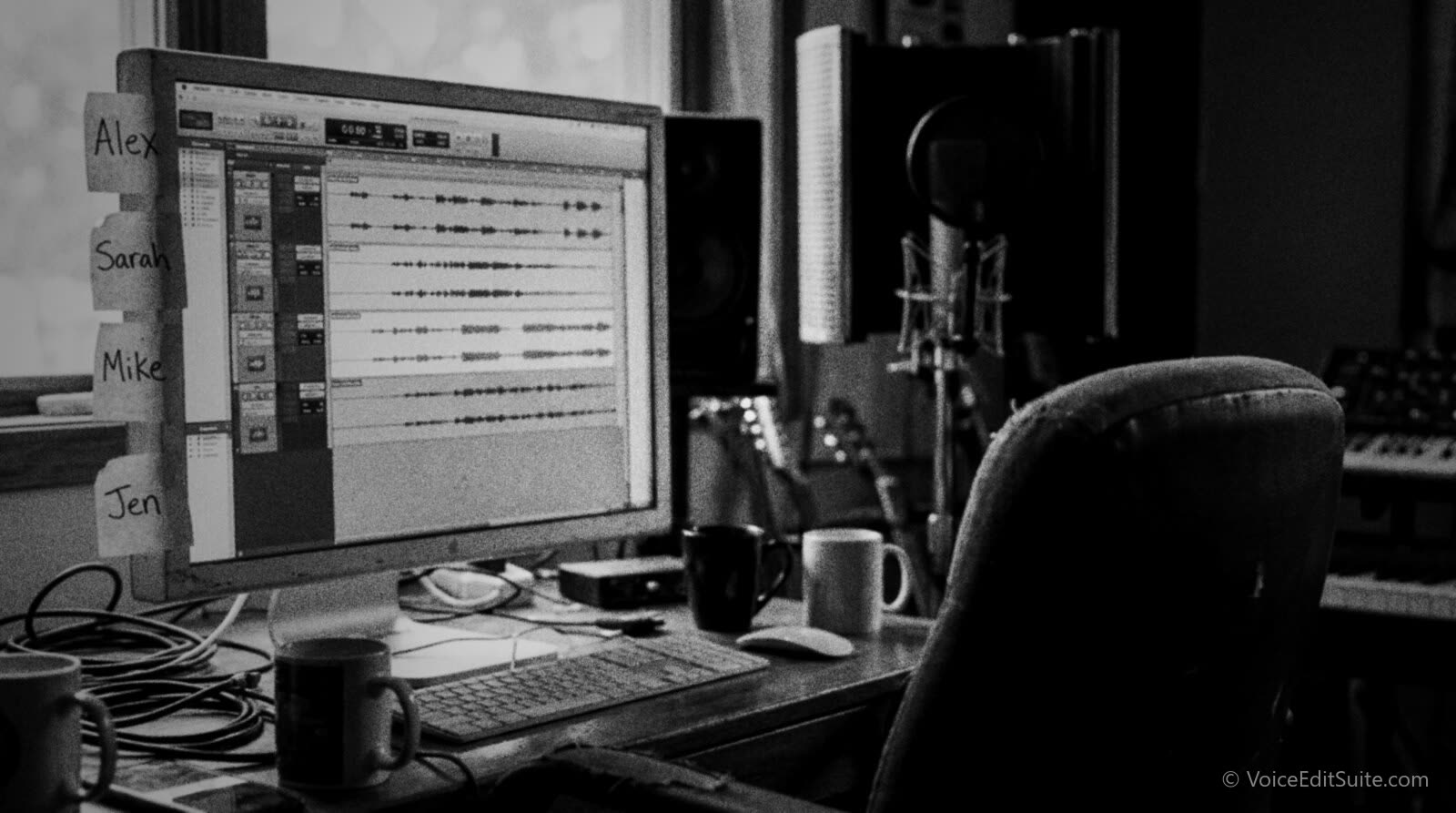
The short answer: multitrack recording means every person in the conversation ends up with their own independent audio file, recorded to their own track rather than merged into one shared waveform. That single property, one file per speaker, is what lets you remove a fan hum from a guest's line without touching the host's voice, boost a quiet laptop mic without raising the noise floor underneath a close-mic'd host, and cut a sneeze or a flubbed name out of thirty seconds of audio instead of re-recording the whole segment. It works whether everyone is in the same room on a shared audio interface or scattered across three countries, each recording locally and syncing the files afterward, a technique generally called a double-ender.
This is a narrower question than how to run a good remote interview, which this site's guide to recording a podcast with remote guests already covers in detail: the tech check, the guest coaching, the backup layers, and what to do when someone's connection drops mid-sentence. Here the subject is the mechanics underneath all of that: what actually changes about your editing options when a conversation lands as separate tracks instead of one, how the common remote tools differ in how they get you there, and how to build the same setup without the internet at all, at a mic stand across a table. Most of what follows applies directly to voice actors recording a scripted two-hander or an ADR session too, not only to interview-style podcasting.
What Multitrack Recording Actually Means
A single mixed-down recording is what you get any time two or more voices are captured onto one shared signal before anyone presses stop: a laptop's built-in mic picking up both sides of a kitchen-table chat, a video call's own recording feature, or two people sharing one microphone. Whatever winds up in that file is permanent in relation to everyone else in it. If the host coughs under a guest's answer, that cough is now physically part of the same waveform as the answer. There is no later step where you can select only the cough and remove it without also touching the audio sitting underneath it in time.
A true multitrack recording breaks that dependency. Each speaker's microphone feeds its own, separate recording, whether that is a distinct channel on a multi-input audio interface recording straight into a DAW in person, or a separate local file saved on each person's own device when they are not in the same room. The tracks still line up in time with each other, so the conversation plays back exactly as it happened, but each one can be opened, cleaned, leveled and cut on its own. That is the entire distinction this Guide is about: not whether people are in the same building, but whether the thing you get to edit afterward is one file or several.
Why Isolating Noise and Mouth Sounds Per Speaker Matters
Room noise and hum on one track only
Say a guest is recording from a home office with a desk fan or an air conditioning unit running somewhere behind them, a few decibels of steady hum sitting under every word. On a single mixed file, that hum occupies the same physical signal as the host's voice too, because both people were captured onto the same track. A noise-reduction pass or an EQ notch aggressive enough to meaningfully quiet the hum has to run across the entire file, which means it is also running across the host's voice, even though the host's room was clean to begin with. The fix for one person's problem becomes a compromise applied to both.
On a multitrack recording, the fan hum exists on exactly one track: the guest's. A noise-reduction pass, a gate, or a notch filter tuned specifically to that hum's frequency runs only there. The host's track is never touched, because there was never anything wrong with it. This is the single most common practical reason production guides give for recording separate tracks in the first place: a problem on one person's line gets solved on that person's line, full stop, rather than becoming a judgment call about how much processing the whole conversation can tolerate before it starts to sound processed.
Mouth clicks and plosives stay contained
The same logic applies to the smaller, more personal noises a close microphone picks up: saliva clicks, lip pops, breath spikes, and the plosive pop from a hard "p" or "b" too close to the capsule. The five real causes of a podcast mic sounding bad are almost always one person's mic technique or mouth, not a shared problem, which means the fix belongs on one track too. On a multitrack recording, a click-removal pass or a de-plosive edit targets the exact moment on the exact speaker's track where the sound happened, leaving every other track, and every other person's performance, completely untouched. On a single mixed file, removing that click means cutting into a signal that may also contain the other person's overlapping breath or reaction, which is a much riskier edit to make cleanly.
Independent Leveling and EQ for Every Voice
Two people almost never arrive at the same microphone, the same distance from it, or the same gain setting by accident. A host on a dynamic mic a few inches from their mouth might sit comfortably around negative sixteen LUFS short-term loudness. A guest dialing in on a laptop's built-in mic, sitting an arm's length from the screen, might land ten decibels quieter and carry a boxy low-end rumble the laptop's enclosure adds on its own. Why a guest sounds quieter than the host is, almost always, exactly this kind of mismatch, and a mismatch between two tracks is a very different problem from a mismatch baked into one.
On a single mixed file, there is only one fader. Turning the whole file up to bring the guest's level into range also turns up the host's already-correct level, pushing it toward clipping, and it turns up whatever room noise sits under both voices equally. There is no way to boost only the quiet half of a signal that was never split apart in the first place. On separate tracks, the guest's track gets its own gain, its own high-pass filter to tame that laptop rumble, and its own compressor settings tuned to how far their level drifts during the conversation, while the host's track is left exactly as it was recorded. Each voice gets treated the way it actually needs to be treated, not the way a shared average happens to suggest.
Avoiding a Full Re-Record Over One Person's Mistake
This is the case that makes the other two feel almost theoretical by comparison. Picture a strong ten-minute answer from a guest, the kind that would anchor the episode, interrupted two minutes in by a dog barking, a doorbell, or the guest simply saying the wrong name and needing to restart the thought. On a single mixed track, that interruption sits inside the same continuous signal as the host's reactions and follow-up questions around it. Lifting just the bad few seconds out, when overlapping speech or room tone from both people is tangled into the same waveform, is slow, fiddly editing with a real risk of leaving an audible seam, and in the worst case the cleanest fix available is asking everyone to redo the whole section from scratch.
On a multitrack recording, that same interruption lives entirely on the guest's track. The host's clean audio from that exact moment in time is sitting, untouched, one track below. Cutting the bad few seconds out of the guest's track and either tightening the gap or dropping in a half-second of that speaker's own room tone to bridge it is a small, contained edit, the kind a full editing pass without hours of extra work is built around. Nobody has to re-record anything, because the mistake was never mixed into material that belonged to someone else.
The fix a single track genuinely cannot offer
When two people's voices overlap on one shared signal, there is no clean way to remove just one of them. Editors who work this way routinely describe overlapping speech on a single track as one of the few problems a DAW simply cannot solve after the fact. Multitrack recording does not fix overlapping speech either, but it keeps every other, non-overlapping mistake fully isolated and fully fixable, which covers the overwhelming majority of what actually goes wrong in a real conversation.
↗ Try the tool
Auto Clean Up
Auto Clean Up works track by track rather than flattening a conversation into one file first, so a noise gate tuned to a guest's fan hum, a de-click pass on someone's mouth sounds, or a filler-word trim on one person's line never bleeds into anyone else's track. Upload each speaker's file the way you recorded it, separately, and it keeps them separate the whole way through the clean-up pass, ready to drop straight into your mix once every track is already sounding its best on its own.
Open Auto Clean Up →That track-by-track habit is also what makes a double-ender worth the slightly fussier setup described below. The payoff only shows up once you can actually see each person's file sitting on its own, which is exactly what the next two sections walk through.
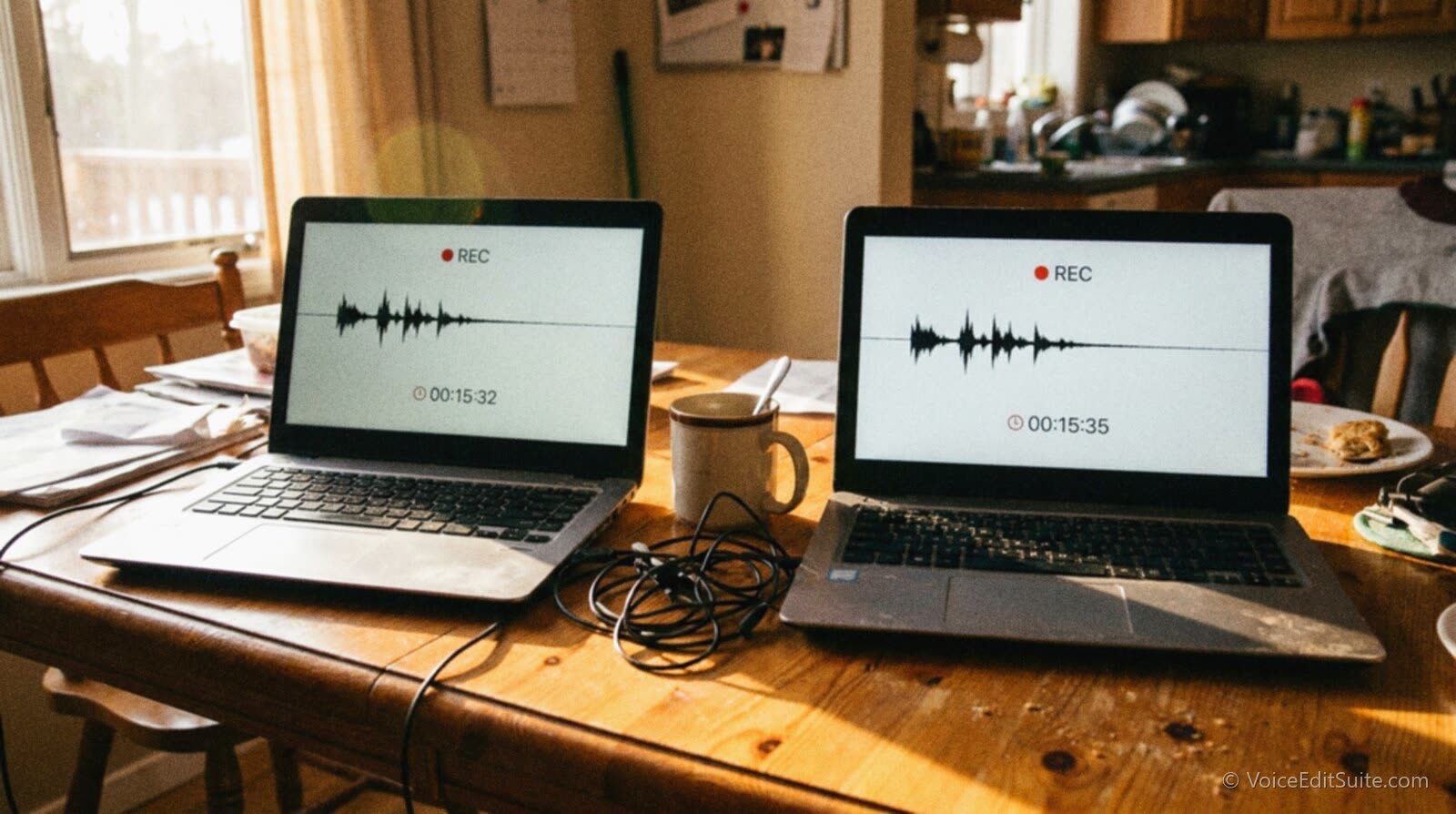
None of the three advantages above depend on anyone being remote. Isolating noise, leveling independently, and avoiding a re-record all come from the same underlying fact: a problem that only ever touched one track can only ever need fixing on one track. What changes between an in-person setup and a remote one is purely how you get to that point, how each person's microphone actually ends up as its own separate file.
Remote Multitrack: The Double-Ender, and How the Main Tools Differ
The term double-ender comes from broadcast radio and television, where a long-distance interview before reliable satellite links meant recording each side of the conversation locally, at its own end, and combining the two recordings afterward rather than trying to carry a usable signal the whole distance in real time. The podcasting version works the same way: each participant's microphone feeds a recorder on their own device, the call itself (Zoom, a browser tool, a plain phone line) exists only so everyone can hear and react to each other live, and the files that actually get edited are the local recordings, exported and synced after the conversation ends. The call link is a conversation, not a recording.
Several tools exist specifically to make that handoff invisible to a non-technical guest, and they do not all work the same way underneath. Zencastr and Riverside both record each participant's audio locally, in the guest's own browser or app, and upload the finished files to the host's account once the session ends; Riverside's own site describes delivering uncompressed WAV audio tracks per participant alongside video, for sessions of up to eight people, with recording quality it says is independent of either side's internet connection during the call, since nothing recorded ever has to survive that connection. SquadCast follows the same local-first pattern, recording to each device and uploading afterward rather than capturing the compressed call audio as the source. Cleanfeed takes a genuinely different approach: rather than recording locally on each device, it records centrally, on a single shared clock, which Cleanfeed's own documentation says keeps every track sample-accurate against the others with no drift to correct, delivered afterward as WAV files bundled into a zip download; a guest who joins partway through simply gets a track that begins at the moment they arrive, aligned to the others by its end point.
That difference matters in practice. A true local-first double-ender, recording independently on two or more separate devices, is immune to a bad connection ruining the audio itself, but it introduces the possibility of drift: two computers' internal clocks never run at precisely identical speeds, so over a long enough session, two local recordings that started perfectly in sync can creep apart by a noticeable amount by the end. The traditional fix, and one worth planning for even when using a tool that claims to handle it automatically, is a shared, loud marker at the very start of the recording, a spoken countdown or a hand clap everyone's mic catches, which gives you an unmistakable point to line every track up against in your editor afterward. Purpose-built utilities for exactly this problem exist too, syncing drifting local recordings back against a reference track rather than requiring a frame-by-frame fix by ear.
Building the Same Setup in Person, Without Any of This
When everyone is in the same room, you can skip the entire sync problem by using one shared clock instead of two separate ones. A multi-channel audio interface with one input per microphone sends each mic's signal down its own, physically separate channel, and a DAW records each of those channels to its own track, perfectly time-aligned from the first sample because they were all captured by the same device at the same moment. This is multitrack recording in exactly the sense described throughout this Guide, just with no internet, no upload, and no drift to worry about at all.
What it does need is the right software for the job. Audacity can technically capture more than one input, but its handling of true multi-channel, multi-track recording is clumsy enough that podcasters who outgrow a single mic setup tend to move on quickly; without a properly supported multi-channel interface, the practical ceiling in Audacity is often two microphones squeezed into a stereo track, one per channel, which is a step better than one blended mono file but still short of two fully independent, separately editable tracks. A dedicated multitrack DAW built around one track per input from the start handles the same two microphones as two clean, separate, independently editable files without the workaround. Choosing a DAW for voice-over and podcast editing is worth doing deliberately for exactly this reason before a multi-person in-person session, not after discovering the limits of whatever happened to already be installed.
What This Means for Voice Actors, Duet and ADR Sessions
Everything above transfers directly to scripted voice-over work with more than one performer, not just interview-style podcasting. A remote duet session, two trained voice actors recording opposite sides of a scripted conversation from their own home studios, runs into the identical problem a podcast interview does if either performer's audio is pulled from the call recording instead of their own local file: one flubbed line now sits inside a shared, compressed signal instead of an isolated one. Recording a remote duet properly means each performer records their own side locally, exactly like the double-ender described above, so a director can ask for one line again without needing the other performer to redo anything, and an editor can match levels and room tone between two voices that were never recorded in the same space to begin with.
ADR and dubbing sessions push the same principle further, even when every actor is physically present in the same room or booth. A loop group recording group walla, or two leads looping a scene together for timing, is still typically captured to isolated, separate tracks per performer, because whatever gets handed to a dubbing mixer downstream needs to be recombined with music, effects and picture as independent stems, not as one pre-mixed blend that can no longer be pulled apart. The reasoning is the same reasoning behind every example in this Guide: whoever edits or mixes the material afterward can only fix, level or replace what exists on its own track.
A Worked Example, Before and After
Here is what the difference looks like on one ordinary ten-minute segment of a two-person interview, recorded two different ways.
Recorded as one mixed file
A guest's answer runs long and strong for eight minutes, then a courier knocks on their door at minute six, dog barking, chair scraping, both voices briefly talking over the interruption as the host tries to help. Removing it cleanly means picking through a single signal where the dog, the chair, the host's reaction and the guest's own recovery are all tangled into the same few seconds. The editor spends twenty minutes trying to carve out just the bad part without leaving an audible jump, and ultimately asks the guest to redo the whole eight-minute answer on a follow-up call, because the splice never quite disappears.
Now run the identical interruption through a session that was recorded as two tracks instead of one.
Recorded as two separate tracks
The same interruption exists only on the guest's track. The host's track for that exact span is untouched, still carrying their brief, sympathetic reaction, which the editor keeps. On the guest's track, the editor cuts from just before the knock to just after the guest's recovery line, drops in two seconds of the guest's own room tone to bridge the gap, and nudges the join a few milliseconds to land on a natural breath. Total time: about three minutes. Nobody has to record anything again.
Multiply that three-minute fix against a ten-minute re-record, repeated across however many small interruptions a typical hour-long conversation actually contains, and the time saved over a season of episodes is not a marginal efficiency gain. It is close to the entire reason experienced podcast editors insist on separate tracks before anyone presses record, not after discovering the problem in the edit.
Frequently Asked Questions
Can I fix a multitrack-style problem if I only have one mixed file?
Partly, and slowly. You can still apply noise reduction, EQ or leveling to a single mixed file, but every change you make affects every voice inside it, since there is no way to isolate just one person's signal after the fact without specialized speaker-separation software, which is imperfect and adds its own artifacts. Cutting out overlapping speech from a single track is the hardest case of all: once two voices share the same samples at the same moment, there is very little a clean edit can do about it. If a mixed file is genuinely all you have, treat it as the one source you've got and clean it as a whole, but plan to record separately next time.
What is audio drift, and do I need to worry about it?
Drift happens because no two computers' internal clocks run at exactly the same speed. Two local recordings that start perfectly in sync on a remote double-ender can creep apart by a small but noticeable amount over a long session, which shows up as voices gradually falling out of time with each other even though both tracks are individually fine. A loud, shared marker at the very start of the recording, a spoken cue or a clap everyone's mic catches, gives you a fixed point to resync against if it happens, and some recording tools correct for it automatically by keeping every participant on one shared clock instead of several separate ones.
Which remote tool should I use if I want separate tracks per guest?
Zencastr, Riverside and SquadCast all record each participant locally on their own device and upload separate files once the session ends, which makes them true double-enders in the classic sense. Cleanfeed instead records every participant centrally on one shared clock during the call, which trades the need for post-session syncing for a dependency on a decent connection during the session itself. All four will get you to the same end result, one file per speaker, so the choice usually comes down to guest-side simplicity, pricing, and which export format and plan tier actually includes full-quality WAV tracks rather than a compressed export.
What do I actually need to record multiple people in the same room on separate tracks?
A microphone for each speaker, an audio interface with at least as many inputs as you have microphones, and a DAW set up to record each input to its own track rather than bouncing everything down to one stereo pair. That is the entire requirement. The interface is the part most people underspec, since a two-input interface caps you at two separate tracks no matter how good your microphones and software are.
Does any of this matter for a scripted voice-over duet rather than an interview?
Yes, in exactly the same way. Two performers recording a scripted two-hander remotely should each record locally rather than pulling from the call, for the same reason a podcast guest should: so a flubbed line, a noise, or a level mismatch can be fixed on one performer's track without touching the other's clean take, and without asking either actor to redo a line that was never actually the problem.
If everyone already has their own track, do I still need to mix the conversation together?
Yes. Separate tracks solve editing, not final sound. You still need to bring every speaker to a matching, comfortable level relative to each other, set an overall loudness target for the finished episode, and apply whatever light compression or EQ the mix as a whole benefits from. The order those mastering steps should happen in is the same whether the tracks underneath started as a single file or several; multitrack recording just means you get to do that final mixing step once, deliberately, on material that is already clean, instead of fighting a mixed file that was never separable in the first place.
Sources and Further Reading
- Riverside, Multitrack Podcast Recording and Riverside, Podcasting use case: Riverside's own claims about per-participant local recording, uncompressed WAV and video tracks, participant limits, and independence from connection quality during the call.
- The Podcast Host, Zencastr review: local per-participant capture and upload-after-recording behavior, and plan-dependent export format differences.
- Cleanfeed, Recording to Separate Tracks: Cleanfeed's own documentation on its centrally recorded, single-clock multitrack approach, WAV-in-zip export, and how a late-joining guest's track is aligned.
- Podcast Engineering School, What Is a Double-Ender?: the broadcast radio and television origin of the double-ender technique and its application to remote podcast recording.
- The Podcast Host, Recording a Double-Ender: the practical double-ender workflow and why each side records locally rather than relying on the call.
- The Incomparable, Double Ender: a free macOS utility built specifically to resync drifting local recordings against a reference track.
- Audacity Forum, Multi-Channel Podcast: a user discussion illustrating Audacity's practical limits for true multi-input, multi-track recording without a dedicated multi-channel interface.
- AudioShake, How to Edit Podcasts With Multiple Speakers, Fast: the general case for per-speaker track isolation when editing multi-voice audio.