The short answer: YouTube's multi-language audio feature lets a creator attach a separate, full audio track in another language to a single uploaded video, instead of publishing a second copy of it. A viewer in that language hears the dubbed track automatically, and anyone can switch tracks from the gear icon in the player. The track itself has to be made by someone, either an AI dubbing tool or a human voice actor working from a translated script, and that second option is quietly becoming a real line of paid work.
This guide covers the feature on its own terms, separate from the broader AI dubbing market and from traditional film and TV ADR. It walks through the exact YouTube Studio upload process, the file and timing requirements, what a creator or hired voice actor actually does to produce a track worth publishing, where the paid work is showing up for voice actors and translators, and the quality problem that decides whether a dub works at all: matching the original host's energy and pacing in a language they never spoke.
What Multi-Language Audio Tracks Actually Are
YouTube piloted this feature from 2023 with a small group of creators, including MrBeast, Mark Rober and chef Nick DiGiovanni, according to reporting on the rollout from PPC Land and The Decoder. On 10 September 2025, YouTube's own creator blog announced that the feature was expanding to millions of creators globally after that two-year pilot, with access rolling out gradually over the following weeks rather than all at once. The core idea had not changed since the pilot: one video, one upload, multiple audio tracks attached to it, each one a full dub in a different language rather than a separate video with its own view count, comments and watch history.
This is a different feature from YouTube's automatic AI dubbing, even though both now sit inside the same Studio workflow and solve the same underlying problem. Automatic dubbing, which YouTube has built on its own AI voice technology, generates a translated audio track for a video without the creator recording anything. TechCrunch reported in December 2024 that YouTube was expanding automatic dubbing to more creators focused on informational content such as cooking and science videos, and that YouTube itself warned the tool "may not always translate accurately" and "may not match the original speaker's voice," since it was still early in development. By early 2026, Android Authority reported that automatic dubbing had grown to 27 languages and added an "Expressive Speech" option for eight of them, built specifically to address the earlier complaint that the AI voices sounded flat and robotic next to the host's real delivery.
Multi-language audio tracks exist precisely because that complaint did not go away for every creator. The feature lets a creator replace an automatic AI track with their own, either performed by themselves or by a hired voice actor working from a human-translated script. Social Media Today's coverage of the September 2025 expansion makes the distinction explicit: creators can supply their own human audio translations, created themselves or paid for from a translator and voice actor, or they can rely on YouTube's AI tools, and the two options are not mutually exclusive across a channel's catalogue.
How the Upload Actually Works in YouTube Studio
YouTube's own help documentation for the feature, "Add multi-language audio tracks to your videos," lays out a short, fairly mechanical process, and it is worth knowing exactly before you record a frame of dialogue, because the format and length requirements constrain how the script gets written.
- Sign in to YouTube Studio on a computer, since the feature is not available from the mobile app upload flow.
- Select Subtitles from the left menu, then click the specific video you want to add a track to.
- Click ADD LANGUAGE and select the language the new track will be in.
- Under the Audio column for that language, click ADD, then SELECT FILE, and choose the audio file from your computer.
- The file has to be audio-only, in a supported format, and close to the same running time as the original video.
- Click PUBLISH to attach the track.
Replacing a track later follows the same loop in reverse: delete the existing audio under Audio for that language, then repeat the upload steps with the new file. There is one rule that trips people up the first time: if an automatic AI dub already exists for a language, you cannot simply layer your own track on top of it. You have to delete the AI version first, then upload your own in its place. That single step is the entire mechanism by which a hired voice actor's work replaces a machine dub on a published video.
YouTube's documentation does not publish an exact list of accepted audio containers for this specific upload slot, only that the file must be audio-only and in a supported format. Its general video and audio formatting specifications, which govern uploads elsewhere on the platform, name WAV, FLAC, MP3 and AAC as commonly accepted audio formats and set a minimum lossy bitrate of 64 kbps, so a dub track exported as a clean, uncompressed WAV or a high-bitrate MP3 is the safe default rather than something to guess at. The running-time match matters more in practice than the file format does: a dub that drifts noticeably longer or shorter than the original cut is the kind of mismatch that gets a track rejected or, worse, published and then noticeably out of step with on-screen captions and jump cuts.
The Practical Workflow for Recording a Dub Track
This is where YouTube dubbing diverges most from the ADR and film-dubbing work covered in our guide to ADR and dubbing voice over sessions. Film and TV dubbing is built around frame-accurate lip sync to a close-up mouth, cued by beeps or a rythmo band, because the camera is often tight on the actor's face. Most YouTube content is not shot that way. A cooking video, a tech review or a vlog cuts constantly between a host talking to camera, cutaways, screen recordings and on-screen text, so a dub rarely needs to match individual mouth shapes. What it does need to match is the edit: the overall running time, the placement of jokes against visual punchlines, and the pacing of a host who was almost certainly performing off a loose outline rather than a tightly timed script.
The actual job starts with the script, not the microphone. A translator, who may or may not be the same person as the eventual voice actor, works from the original video (not just a transcript) because tone, emphasis and comedic timing live in the performance, not the words on the page. The translated script then gets adapted for length against the original's timed segments, the same discipline a dialogue adaptor uses for film dubbing but applied loosely, since YouTube dubs are not held to phonetic lip sync. A line that runs noticeably longer than its English equivalent in a fast-cut segment is a problem worth catching in the script stage, before a studio day gets booked to fix it in the booth.
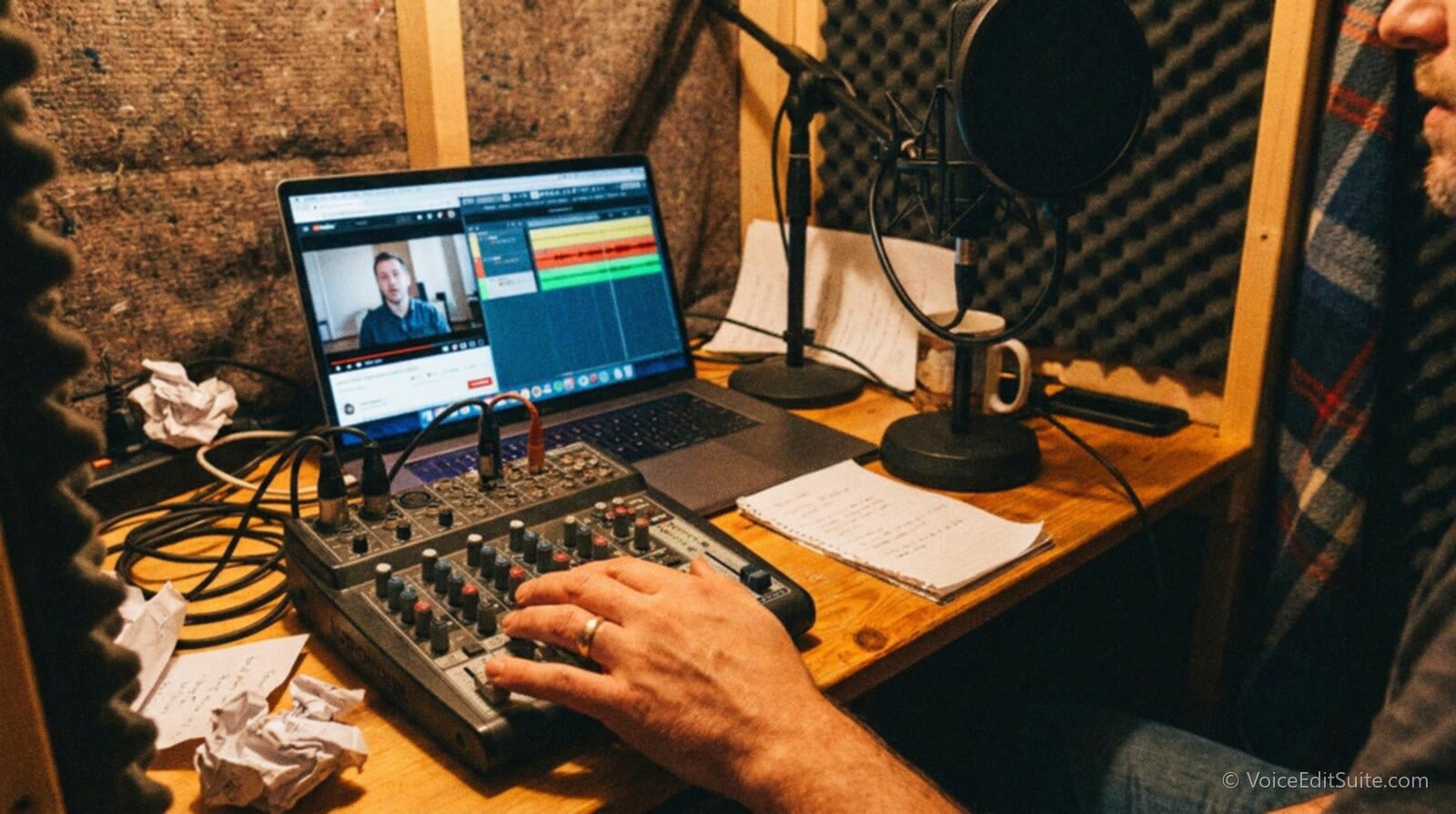
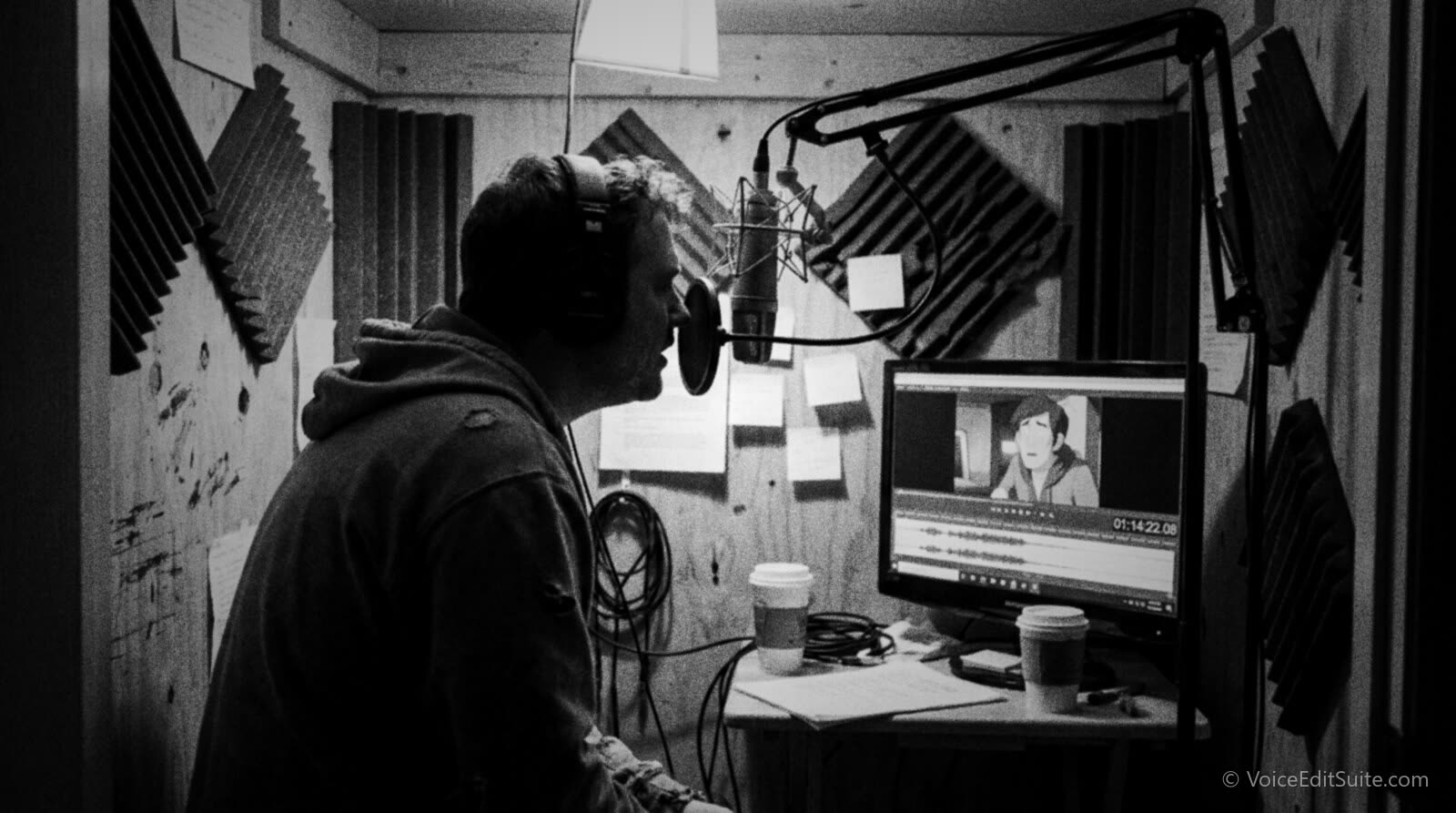
In the booth, the setup looks a lot like a home ADR session: the original video plays on a monitor or a second screen, the voice actor watches it while recording, and a DAW timeline keeps the new track roughly aligned to the original's segments as it is built up section by section rather than line by line. Because YouTube does not require lip sync, most dubbers work to the video's natural breakpoints, cuts, pauses, sentence ends, rather than counting in on beeps the way a film ADR session would. The thing that actually gets checked afterward is whether the new track still lines up with the video's existing captions, on-screen graphics and any hard cuts timed to a punchline, since those elements do not move just because the audio is now in a different language.
Before booking studio time or recording a long dub pass, it is worth checking the translated script against the original's pacing on paper. VoiceEditSuite's script-prep tool is built for exactly that kind of check.
↗ Try the tool
Script Accuracy Checker
Free to try: Script Check flags lines and sections in a translated or dubbed script that run noticeably longer or shorter than they should against a target pace, so you catch a line that will not fit the original video's timing before you are in the booth, not after a finished dub needs to be re-cut.
Open Script Accuracy Checker →Where This Creates Paid Work for Voice Actors and Translators
The clearest evidence that this has become real paid work is how the creators at the top of the pilot are actually using it. Nick DiGiovanni chose human voice-over rather than AI for several languages specifically to keep his own personality and comic timing intact across the dub, according to Social Media Today's reporting on the September 2025 rollout, and his channel now reaches viewers in languages including Spanish and Italian with tracks made that way. Mark Rober went further in scale: Slator, a localization industry publication, reported that Rober uploaded the highest number of multi-language tracks of any pilot creator, averaging about 30 language versions per video. Thirty language tracks on one video is not a one-person job; it is translation and voice work spread across dozens of language pairs, repeated on every upload, which is the kind of recurring volume that supports an ongoing freelance relationship rather than a single paid gig.
That demand shows up in two connected roles. A translator adapts the script for length and tone, ideally against the video itself rather than a flat transcript. A voice actor then performs it, matched where possible for vocal register and energy to the original host rather than cast purely on language fluency, because a flat or mismatched reading is the single most common complaint about AI dubs and it reads just as badly when a human does it without direction. On a channel large enough to run multi-language tracks across dozens of languages consistently, both roles tend to become repeat freelance work rather than one-off jobs, which is new work that simply did not exist on YouTube before this feature shipped.
- Direct hires by individual creators, especially larger channels dubbing into five or more languages per upload on a regular schedule, who need the same dependable voice in a given language across every video for consistency.
- Translation work that is script-first, not subtitle-first. A multi-language audio script has to carry tone and timing, not just meaning, which is a different brief than a straight subtitle translation.
- Repeat, catalogue-wide work, since a channel that commits to a language keeps needing it on every future upload, not just a single video.
- Review and quality-control passes, checking a finished dub against the original for pacing and energy before it gets published, a task a creator doing this across many languages often cannot do personally for each one.
This work almost always sits outside any union agreement, since it is negotiated directly between a creator or their channel and a freelance translator or voice actor, with none of the dubbing minimums that cover studio and streaming work. Our guide to voice-over contracts and usage rights is worth reading before taking one of these jobs, specifically on what a flat buyout should and should not include when a creator wants to reuse your dubbed track, re-edit the video later, or pull clips from it for other platforms. For how unions are treating AI-assisted dubbing generally, including the consent and pay questions that come up when a creator mixes AI tracks and human tracks on the same channel, see our guide to international voice actor unions and AI.
This is a different market from streaming dubbing
A streaming platform dub is a single licensed, union-adjacent job on one title. A YouTube channel running multi-language tracks across dozens of languages on every upload is closer to a standing freelance arrangement. Price and negotiate it that way, not as a one-off session rate.
Matching the Host's Energy and Pacing in Another Language
The single quality problem that decides whether a YouTube dub works is energy matching, not translation accuracy. A translated line can be perfectly correct and still land flat if it is delivered at a different pace or a different emotional register than the host's original performance, and viewers notice that mismatch immediately, even when they cannot articulate why a dub feels wrong. This is the same underlying complaint that has dogged AI auto-dubbing since its earliest version: YouTube's own description of the tool's limitations in 2024 specifically named voice matching as unresolved, and Android Authority's reporting on the 2026 Expressive Speech update frames that feature as a direct response to the AI voices sounding flat next to a host's real delivery. A human voice actor is not automatically immune to the same failure. Reading a translated script cold, without having watched the original performance closely, produces the identical flat mismatch a bad AI dub does.
The fix is to treat the original video as the real reference, the way an ADR actor treats the picture, rather than treating the script as the primary document. Watch the segment at normal speed first and notice where the host speeds up, where they land a beat for comic effect, and where their energy actually drops for a serious point, then match those shifts in the dub even where the literal words have to be restructured to fit the target language. This is a much looser version of the synchrony categories that govern professional film dubbing, covered in detail in our ADR and dubbing guide, but the underlying instinct, performance to a reference rather than performance to a page, is identical. A host's YouTube persona is usually built on a specific, consistent energy from video to video, so a dub that is correct but flatter than the original will read as a worse version of the creator rather than as a faithful translation, and audiences in multiple markets have been shown to prefer a dub over subtitles specifically because it should feel native, not diminished.
For a wider view of how AI dubbing quality problems have played out across streaming platforms and what that has meant for union positions and pay, our guide to AI dubbing in 2026 covers the industry-wide picture that this YouTube-specific workflow sits inside.
Does Adding a Track Actually Help a Video, and How Fast Is This Growing
Creators adopting this have a real, if still developing, incentive beyond reach for its own sake. YouTube's own creator blog reported that, on average, creators who upload multi-language audio tracks see more than 25 percent of that video's total watch time come from viewers watching in a non-primary language, a figure repeated in trade coverage of the September 2025 global expansion by both PPC Land and Slator. That is notably higher than an earlier figure from Tubefilter's reporting during the pilot, which put the equivalent share at just over 15 percent, a gap that likely reflects more creators dubbing into more languages, and audiences getting used to switching tracks, as the pilot matured rather than a single clean before-and-after comparison. Individual results vary widely by channel: coverage of the rollout credits Jamie Oliver's channel with views amplified roughly three times over by adding multi-language tracks, a result at the high end of what has been publicly reported rather than a typical outcome.
On discoverability specifically, Slator reported that a member of YouTube's creator-liaison team described the platform's recommendation system as treating a newly added language track the same way it treats a new video for that language's audience, meaning there is no inherent penalty for adding a track weeks or months after the original upload rather than on day one. That matters for how a creator or their hired translator should prioritize work: a backlog of older, evergreen videos is a reasonable place to add tracks gradually, rather than something that only pays off on brand-new uploads.
Frequently asked questions
What exactly are YouTube multi-language audio tracks?
They are separate full audio tracks in different languages attached to one video, rather than separate video uploads. A viewer's player serves the track matching their own language automatically, and anyone can switch tracks manually from the gear icon in the YouTube player's settings menu.
Does a creator have to use AI, or can they hire a voice actor?
Either. YouTube offers automatic AI-generated dubbing as one option, but a creator can instead record their own track or hire a translator and voice actor to produce a human track, then upload it through YouTube Studio. If an automatic AI dub already exists for that language, it has to be deleted first before a human-recorded track can be uploaded in its place.
What file format and length does the uploaded audio track need to be?
YouTube's own help documentation specifies that the file must be audio-only, in a supported format, and close to the same running time as the original video. It does not list an exact codec for this upload slot; YouTube's general audio formatting specifications accept common formats such as WAV, FLAC, MP3 and AAC, with a 64 kbps minimum bitrate for lossy formats, so a clean WAV or a high-bitrate MP3 is a safe choice.
Do YouTube dub tracks need to be lip-synced like film dubbing?
No. YouTube videos are mostly cut in ways that do not hold on a single close-up mouth the way film and TV dialogue scenes do, so the requirement is matching the original's overall running time and pacing against cuts, captions and on-screen graphics, not matching individual mouth shapes. That is a meaningfully lighter technical bar than the phonetic lip sync covered in traditional ADR and dubbing work.
How is this paid work priced, since it isn't under a union contract?
It is negotiated directly between the creator or channel and the freelance translator or voice actor, with no published minimum rate the way SAG-AFTRA's dubbing agreements set one for studio and streaming work. Because larger channels need the same language track added to every future upload, not just one video, it is worth pricing and contracting this as an ongoing arrangement rather than a single flat fee, and being explicit in that contract about how the track can be reused or re-edited later.
Can any creator add multi-language audio tracks right now?
YouTube announced in September 2025 that it was expanding access to millions of creators globally after a two-year pilot, with the rollout reaching channels gradually over the following weeks rather than everyone at once. Check the Subtitles section of your own YouTube Studio to see whether the Audio upload option is available on your channel yet.
Sources and Further Reading
- YouTube, Multi-Language Audio: a new way for creators to reach audiences around the world, official creator blog, September 2025: the global rollout announcement and the over-25-percent watch-time figure.
- Google/YouTube Help, Add multi-language audio tracks to your videos: the exact Studio upload steps, file and duration requirements, and the rule on deleting an existing automatic dub first.
- Google/YouTube Help, Video and audio formatting specifications: general accepted audio formats and bitrate minimums referenced for the upload file.
- PPC Land, YouTube makes multi-language audio available to millions of creators, September 2025: pilot creators, scale of the rollout, watch-time figures.
- The Decoder, YouTube rolls out multilingual audio tracks to millions of creators, September 2025.
- Tech.Slator, YouTube Now Allows All Creators to Add Their Own Multi-Language Audio Tracks: Mark Rober's roughly 30 tracks per video, the human-versus-AI choice, and the discoverability comment from YouTube's creator-liaison team.
- Social Media Today, YouTube expands multi-language audio options, September 2025: Nick DiGiovanni's choice of human voice-over, and the distinction from automatic AI dubbing.
- AlternativeTo News, YouTube expands its multi-language audio feature to all creators globally, September 2025: the Jamie Oliver views-amplified figure.
- Tubefilter, tubefilter.com/?p=172410: an earlier, pilot-era watch-time figure for creators using multi-language tracks.
- TechCrunch, YouTube's new auto-dubbing feature is now available for knowledge-focused content, December 2024: YouTube's own stated limitations of automatic AI dubbing.
- Android Authority, YouTube's auto-dubbing feature expands: the 2026 expansion to 27 languages and the Expressive Speech option for eight languages.