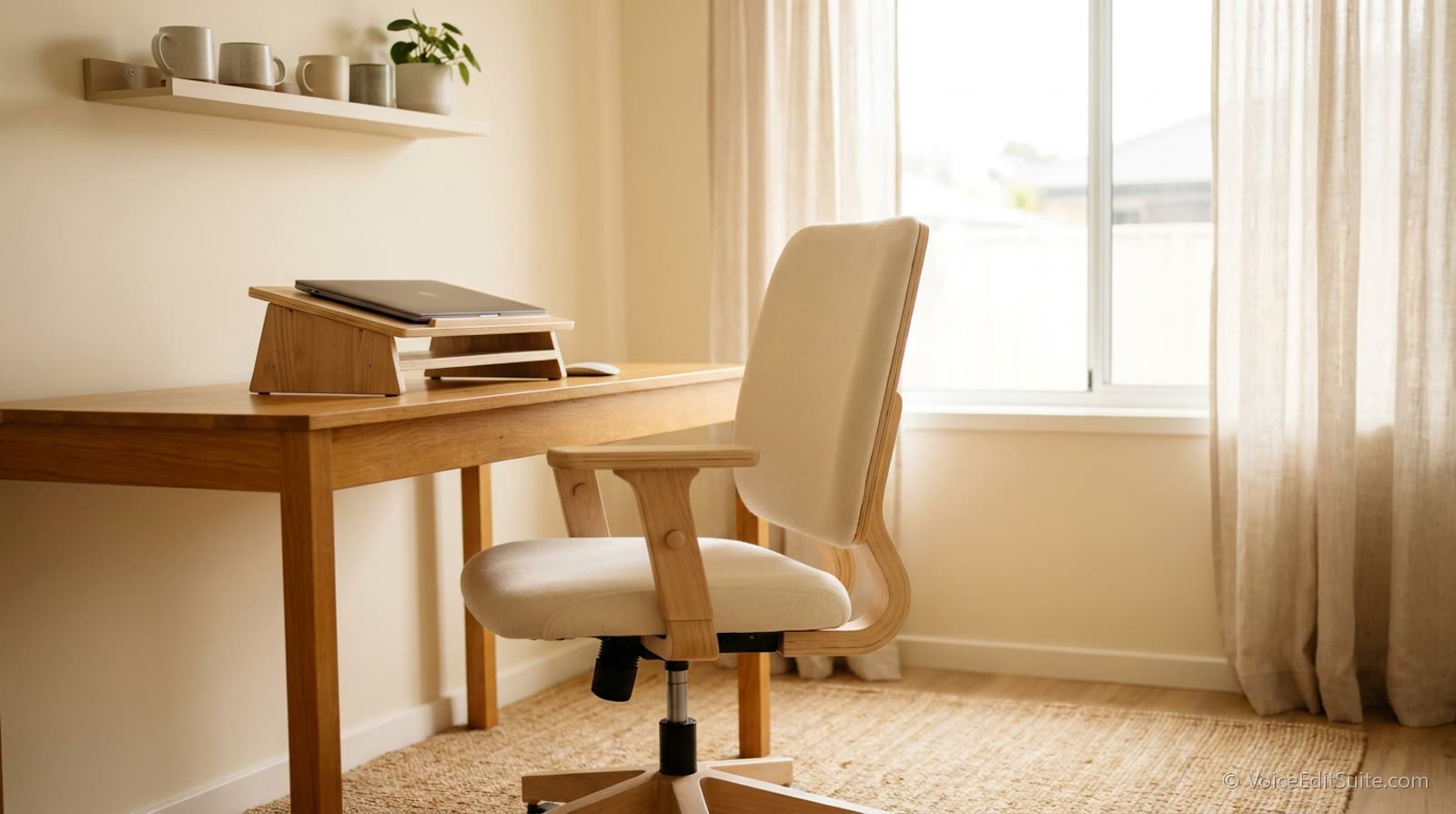
The short answer: good studio ergonomics means the script or screen sits with its top at or slightly below eye level, 50 to 100 cm (20 to 40 inches) from your eyes, the mic sits at mouth height a fixed hand's width away, and your spine is upright rather than slumped or reclined, standing or seated. Research on breathing shows upright positions give bigger lung volumes than lying back, and NIOSH field studies found that a short break every hour cut discomfort without cutting output. Set it up once, then change position and rest on a schedule rather than when you are already tired.
Breath support is a posture problem before it is a technique problem. A slouched spine compresses the diaphragm's range of motion, a script stand angled too low pulls the chin down and closes the throat, a chair with no support forces small stabilizing muscles to work overtime through an entire session. None of that shows up as an obvious mistake the way a plosive or a flubbed line does; it shows up as a read that gets thinner, more effortful, and more fatigued as the session goes on, for reasons that feel mysterious if nobody has ever pointed at the chair. This guide is for voice actors working in a booth and for podcasters working at a desk or a table, because the body does not care which kind of microphone it is talking into.
Why Posture Changes Your Breath and Your Voice
The cleanest evidence comes from lung function research. A 2018 systematic review in BMC Pulmonary Medicine pulled together 43 studies that measured breathing in different body positions and found that in healthy adults, forced vital capacity, forced expiratory volume, functional residual capacity and peak flow were all higher in more erect positions. In plain terms: the more upright you are, the more air you can move and the more air sits in your lungs at rest, which is the reserve every long sentence draws on. The review compared lying, sitting and standing rather than slouching, but the direction is consistent: anything that folds or tips the torso back works against the lungs.
Musicians who play wind instruments have been studied more closely than voice actors, and their breathing problem is the same one: long, controlled exhalations under pressure. In a 2014 study of brass players published in SpringerPlus, researchers at the Royal Welsh College of Music and Drama compared standing with sitting on flat, forward-sloping, backward-sloping and reclining seats. Only the reclining seat produced significantly lower lung volumes and peak flow than standing. Abdominal muscle activity was a different story: during a trumpet task it was 40 percent lower on a flat seat and 32 percent lower on a downward-sloping seat than standing. The abdominal wall is the muscle group you lean on for breath support, so a seated performer is often doing the same job with less help.
A larger study of 113 woodwind and brass players, published in Frontiers in Psychology the same year, found the same pattern. Abdominal muscle activation averaged about 12 percent of maximum when standing and about 8 percent in every sitting posture, roughly two thirds of the standing level, and 65 percent of the players ranked standing as their preferred position. Reclined sitting was the least favourite for 67 percent. These are instrumentalists, not narrators, so treat the numbers as a strong hint rather than a rule for speech. The practical lesson is clear enough: if you sit, sit upright on a flat seat, never reclined, and expect to work a little harder for the same support.
Head and neck position
The larynx hangs from muscles attached to the jaw, skull and breastbone, so wherever the head goes, the voice box is pulled with it. In a 2012 study in the Arquivos Internacionais de Otorrinolaringologia, 30 men with healthy voices sustained a vowel with the head upright and then pushed forward, and their fundamental frequency was significantly higher in the forward-head position. A forward head is exactly what a laptop on a desk, a phone in the hand or a script stand set too low and too far away produces. If your read sounds slightly pinched or higher by the end of a session, check where your head has drifted before you check your technique.
The head is also heavy. A widely cited 2014 modelling paper by spine surgeon Kenneth Hansraj estimated that an adult head weighs 10 to 12 pounds in a neutral position, and that the load on the neck rises to about 27 pounds at 15 degrees of forward tilt, 40 pounds at 30 degrees, 49 at 45 and 60 at 60. Those are modelled figures, not measurements, and other researchers have argued they are nowhere near an injury threshold. For a performer the point is not injury. It is that a tilted head forces the neck and shoulder muscles to hold a constant contraction, and tension in those muscles is the tension voice teachers spend years trying to get out of your throat.
What Actually Matters in a Recording Setup
Almost every ergonomic problem in a home studio comes from one of three places. They are worth naming before the measurements, because the measurements only make sense once you know what each one protects.
- Script or monitor height at or slightly below eye level. Looking down closes the throat and shortens the neck; looking up strains it in the other direction. A stand or monitor arm that keeps your eyeline level protects the same open airway your warm-up already worked to build.
- A chair that supports an upright spine without forcing rigidity. Standing to record solves this entirely for some performers; for anyone recording seated for long sessions, lumbar support that keeps the lower back's natural curve intact preserves diaphragm range far better than a soft, collapsing cushion.
- Consistent mic distance that does not require leaning. Constantly leaning in and back to manage plosives or level defeats the point of good gain staging and adds a physical strain pattern that compounds across a long session.
All three fail in the same way: slowly. Nobody sets up a booth with the script on their knees. The script slides down the stand, the chair sinks a notch, the mic gets nudged closer to kill a bit of room sound, and an hour later the body is folded around the gear instead of the gear being arranged around the body.
The slumped version is rarely a choice. It is where most people drift an hour into a session, which is why the check is worth doing in the chair you actually record in, with the script stand and mic exactly where they live.
Heights and Distances: The Measurements
There is no ergonomic standard written for recording booths, but there is a very good one written for computer workstations, and a booth is a workstation with a microphone in it. The numbers below come from OSHA's Computer Workstations eTool unless noted, adapted to a script and a mic.
Script stand, tablet and screen
OSHA's guidance is that the top of the monitor should be at or slightly below eye level, with the centre of the screen about 15 to 20 degrees below your horizontal eye line, the screen 20 to 40 inches (50 to 100 cm) from your eyes, and tilted back 10 to 20 degrees so it faces your line of sight. The American Academy of Ophthalmology suggests about 25 inches, roughly arm's length, for a desktop screen. OSHA also says documents should sit at the same height and distance as the monitor, which is exactly what a script is. For a voice actor that means the top line of the page level with your eyes, the page tilted back toward you, and close enough to read without leaning: a tablet or printed page usually lands at the near end of that range, because the type is smaller than on a monitor. If you wear bifocals, OSHA's advice is to lower the screen rather than tip your head back to read through the bottom of the lens.
Microphone height and distance
The mic should come to you at mouth height, so that your natural, level head position is the one that sounds right. Our own guide to mic technique and proximity effect puts the sweet spot for most voice work at around 15 cm, a hand's width plus a bit, with closer placement adding bass and every mouth noise. Whatever distance you choose, the ergonomic rule is that it must be reachable with your spine upright. If the only way to get to your preferred distance is to lean in, move the mic, not your body. A boom arm or a floor stand with a short boom is the simplest fix, and a decent shock mount lets you put the mic where your mouth is rather than where the desk is.
The chair
OSHA's chair guidance is written in checks rather than numbers: the whole sole of each foot rests on the floor or a footrest, the thighs are roughly horizontal, the front edge of the seat does not press into the back of the knee, and lumbar support fits the small of the back. Elbows, if you hold a script or a tablet, should rest close to the body at 90 to 120 degrees. OSHA's chairs also recline at least 15 degrees, which is ideal for typing and wrong for recording: the brass-player study above found reclining was the only seated posture that cut lung volumes. Lock the backrest upright for takes, and let it recline when you are editing. Then there is noise. A gas lift, a squeaky swivel or a mesh back that crackles will end up in the recording, so test the chair with the mic open before you buy it, and if you record seated, choose a chair without arms you will rest on and creak.
If you stand
OSHA's neutral standing posture has the legs, torso, neck and head roughly in line and vertical, the feet slightly apart, with one foot allowed to rest on a raised support. That last detail is worth borrowing: a low box or step in the booth lets you shift weight from one leg to the other without moving your head relative to the mic. Stand on something with a little give. NIOSH's review of prolonged-standing research lists floor mats, sit-stand arrangements, supportive shoes and inserts among the interventions with evidence behind them, and a soft mat also stops footsteps from thumping through the floor into the mic.
Standing Versus Sitting
Many voice actors record standing specifically because it gives the diaphragm its fullest, least restricted range of motion, and a standing posture with even weight on both feet is close to the most breath-efficient position available. It is not mandatory: a well-supported seated posture, spine upright, feet flat, script at eye level, gets most performers most of the way there, and standing for a genuinely long audiobook session brings its own fatigue if you are not used to it. The point is not which position is correct, it is that the position is a deliberate choice made for breath support, not an accident of whatever chair happened to be in the room.
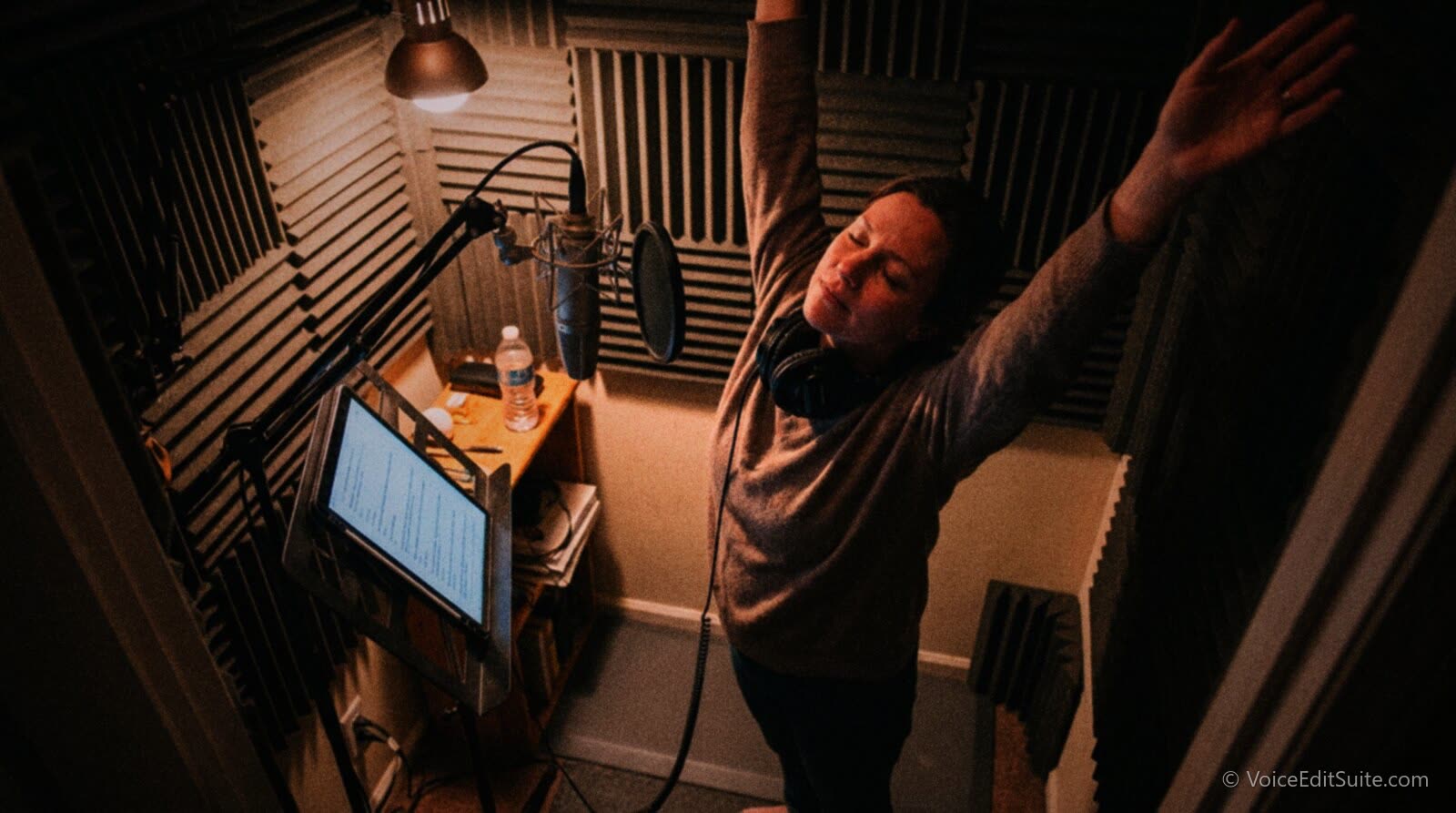
Standing is not free, either. NIOSH researchers Thomas Waters and Robert Dick reviewed the evidence on prolonged standing at work and concluded that it is linked to low back and leg pain, fatigue, leg swelling and general discomfort. Cornell University's ergonomics programme, which has studied sit-stand workstations for years, offers a ballpark rhythm for desk work: in every half hour, about 20 minutes sitting with good posture, 8 minutes standing and 2 minutes moving. Its own page says those numbers are not hard and fast. For a recording session the takeaway is that the healthiest position is the next one: alternate, rather than committing to either for four hours.
Standing has a sound, too. Some performers find their energy and projection lift on their feet, which suits commercial and animation reads. Others find standing makes them shuffle and sway, and the mic hears the distance change. Seated work tends to be steadier and is often preferred for long, intimate narration and for conversational podcasting, where looking across a table at a co-host matters more than maximum breath. Record a paragraph both ways and listen back before you decide what your default is.
Change position between long sections, not mid-take
If a seated posture is fatiguing on a long project, alternate between sitting and standing at natural break points, chapter ends, script sections, rather than mid-performance, so the physical reset does not interrupt the read itself. Mark the mic height for each position with a strip of tape so the sound matches when you switch.
Switching only works if both positions share the same geometry relative to your face. A sit-stand desk or a mic on a boom arm that swings up and down makes this practical; a fixed desk stand usually does not. If your setup forces you to choose one position, choose the one you can hold upright for the longest, and build breaks around it.
What OSHA and NIOSH Workstation Guidance Says
Neither OSHA nor NIOSH has written anything about recording booths, and OSHA's computer workstation material is guidance rather than a binding standard, built with input from the Human Factors and Ergonomics Society. It is still the best-tested advice available for people who sit at a fixed point and look at text for hours, which describes a narrator, a podcast host and an e-learning voice exactly. OSHA's evaluation checklist boils down to these points, and every one of them transfers:
- Head and neck balanced, ears over shoulders, facing forward. For you: the script and the mic are both straight ahead, not off to the side.
- Torso upright to slightly reclined, lower back supported. For you: upright for takes, recline only for editing.
- Shoulders relaxed, elbows close to the body. For you: a script stand means your hands are free; do not hold a tablet for an hour.
- Thighs roughly parallel to the floor, feet flat or on a footrest. For you: a footrest also stops you hooking your feet around the chair legs, a habit that tips the pelvis back.
- Documents at about the same height and distance as the screen. For you: if you read from a screen and refer to a printed page, put them together.
- Alternate between sitting and standing, and take micro-breaks. OSHA's checklist asks you to avoid both prolonged sitting and prolonged standing.
NIOSH's contribution is the research on breaks. In a field study published in Ergonomics in 2000, NIOSH researchers led by Traci Galinsky put data-entry workers on two schedules: the usual two 15-minute breaks a shift, and the same breaks plus a 5-minute break in every hour that did not already have one. Discomfort in several parts of the body, and eyestrain, were significantly lower on the extra-break schedule, and data-entry performance did not drop. A 2007 follow-up in the American Journal of Industrial Medicine repeated the result and found typing speed rose enough that output held steady even though 20 minutes of work time had been given up to breaks. That is the closest thing in the literature to a tested rule for long, focused, seated sessions, and it maps neatly onto chapter-length recording blocks.
Posture Fatigue Compounds Over a Long Session
The effect of a bad ergonomic setup rarely shows up in the first ten minutes of a session; it shows up an hour or two in, as a read that has quietly lost some of its earlier openness and ease. That is a genuinely different problem from vocal fatigue caused by insufficient warm-up or overuse, and treating it as a technique or stamina problem when the actual cause is a chair or stand height wastes real effort on the wrong fix. A five-minute check of your own setup against the list above, done once, tends to solve issues that months of vocal exercises alone would not touch.
The voice itself tires too, and recovers more slowly than most people expect. In a 2009 study in the Annals of Otology, Rhinology and Laryngology, Eric Hunter and Ingo Titze of the National Center for Voice and Speech had 86 adults, mostly teachers, read aloud for two hours, which is a short narration session, and then rate their speaking effort and throat discomfort every two hours for about three days. Most of the recovery happened on the first day, around 80 percent of it within five to eight hours, but the ratings took longer than that to settle completely, and the authors compared the pattern to the slow healing of a chronic wound. An earlier study by the same group, which tracked 31 teachers with voice dosimeters for two weeks, found their vocal folds were vibrating for about 23 percent of their time at work. A narrator reading for six hours spends far more of the day voicing than that, which is why vocal strain is an occupational issue for this work and not a personal failing.
Put together, the research suggests three habits. Break before you need to, every hour, because the NIOSH studies found discomfort climbs through each work period whatever the schedule, and breaks slow the climb. Stop the session before your voice tells you to, because the recovery curve means today's overrun is tomorrow's thinner read. And spread heavy days out: if you have a 10-hour audiobook to record, three sessions of three hours on consecutive days will sound more consistent than one marathon. The site's guide to hydration, diet and sleep covers the rest of the recovery picture.
Stretches Between Takes
An honest note first: the 2007 NIOSH study also tested short stretching routines during breaks and found no clear effect on discomfort or performance, mostly because workers only stretched in about a quarter to two fifths of their breaks. The breaks themselves did the work. So treat stretching as a way to make your break active rather than a cure. These are gentle movements that most voice teachers and physiotherapists would recognise; none should hurt, and if anything does, stop.
- Stand up and walk. Leave the booth if you can. Thirty seconds of walking reverses the folded hip angle of sitting more effectively than any seated stretch.
- Shoulder rolls. Five slow circles backward, five forward, letting the shoulders drop at the bottom. This targets the muscles that hold your arms up to a tablet or a page.
- Chin tuck. Look straight ahead and slide your chin gently backward, as if making a double chin, hold for a few seconds, release. It undoes the forward-head drift described above.
- Side bend and reach. One arm overhead, lean gently to the other side, feel the ribs open, then swap. Rib movement is breath support.
- Jaw release. Let the jaw hang open, massage the hinge just in front of the ears with your fingertips in small circles. Jaw tension goes straight into articulation.
- Calf raises if you stand. Ten slow rises onto your toes keep the leg muscles working, which matters because leg swelling and leg pain are among the problems the NIOSH standing review flags.
- Look far away for 20 seconds. Eye strain is part of script fatigue. The American Academy of Ophthalmology notes we blink only 5 to 7 times a minute at screens, against about 15 normally.
When it is not ergonomics
Hoarseness that lasts more than a couple of weeks, pain when you speak, or a voice that does not come back after a night's rest are reasons to see a laryngologist or a speech-language pathologist, not to buy a new chair. Our guide to nodules, polyps and their warning signs explains what to look out for.
Ergonomics for Podcasters at a Desk or Table
Podcasters face a different version of the same problem. The microphone is usually on a desk stand or a short boom, the notes are on a laptop screen that sits well below eye level, and for a video show there is a camera to look at as well. The result is a host who leans forward and down toward a mic and a laptop at the same time for an hour, which is the forward-head posture at its worst. The fixes are the same ones: raise the laptop on a stand to bring the top of the screen to eye level and use a separate keyboard, put the mic on a boom arm so it comes up to your mouth rather than you going down to it, and put the camera at eye level directly above or beside the screen so that looking at your guest and looking at your notes are the same head position.
Multi-host shows add one more consideration: everyone at the table should be able to sit upright and still be the same distance from their own mic, or the levels will drift as people lean in during the good bits. Even with a perfect setup, a long episode records the room as well as the voices. A desk fan or a laptop fan running through a two-hour recording is a common source of steady noise, and if it gets in, Studio Rescue removes hiss, hum, fan and room noise, with an Episode mode that cleans one file per person, matches their levels and returns the stems plus a mix. It cannot fix echo, so the room still matters; the guide to removing background noise from podcast audio covers both. And a relaxed, well-supported speaker breathes more audibly on a sensitive mic, which is fine: Auto Clean Up quietens breaths in place rather than cutting them, and drops false starts and retakes, so you never need to hold your breath to keep the track clean.
↗ Try the tool
Home Studio Analysis
Free to try: Home Studio Analysis measures your actual room and setup, a useful excuse to also take a hard look at your chair, stand height, and mic distance while you are already auditing the space.
Open Home Studio Analysis →Why This Matters More for Long-Form Work
A thirty-second commercial read tolerates a genuinely bad chair; a full audiobook chapter or a multi-hour e-learning batch does not. Anyone doing long-form narration work regularly has more to gain from fixing posture and setup once than from almost any other single change to their process, because the cost of a bad ergonomic habit scales directly with how long you sit in it. Consistency is part of the deliverable, too. Audiobook listeners hear chapter 1 and chapter 30 back to back, and a narrator who has drifted into a slump by the afternoon sessions sounds subtly different from the one who started fresh in the morning.
Studio Ergonomics Setup Checklist
Run this once in the position you record in, with the mic, stand and chair exactly where they live, and again whenever you move anything.
- Top line of the script or screen is level with, or slightly below, your eyes.
- Script or screen is 50 to 100 cm (20 to 40 inches) away and tilted back to face you, and you can read it without leaning.
- Printed script and screen, if you use both, are at the same height and distance.
- Mic is at mouth height, straight ahead, at your chosen distance (around 15 cm is a common start) with your spine upright.
- Seated: feet flat on the floor or a footrest, thighs roughly level, seat edge clear of the back of the knee, lumbar support in the small of your back, backrest locked upright for takes.
- Standing: weight even, feet slightly apart, a mat underfoot, a low step to shift weight onto.
- Elbows close to the body and bent 90 to 120 degrees if you handle a tablet or mouse; no holding a script in your hands for long reads.
- Chair and floor are silent with the mic open.
- Tape marks on the boom for your seated and standing mic positions.
- A timer or a calendar block for a 5-minute break every hour, with water within reach.
Frequently asked questions
Is it better to stand or sit when recording voice over?
Standing gives the most breathing room: research on wind players found abdominal muscle activity was about a third lower when seated, and lung function research shows upright positions give bigger lung volumes. But standing for hours brings its own problems, from back and leg pain to fatigue. An upright seated posture on a flat seat gets most people most of the way there. The best plan for long sessions is to alternate at natural break points with the mic and script set to match.
How high should my script stand be?
The top line of the script should be at or slightly below eye level, so that you read the page with your eyes lowered slightly and your head level. OSHA's guidance for screens puts the centre about 15 to 20 degrees below your eye line and says documents should be at the same height and distance as the monitor. Tilt the page back toward you so it faces your line of sight.
How far and how high should the microphone be?
At mouth height and straight ahead, at a distance you can hold without leaning. Around 15 cm, a hand's width, is a common starting point for voice work; closer adds bass and mouth noise, further adds room. The ergonomic rule matters more than the exact number: bring the mic to your mouth, never your mouth to the mic.
What kind of chair is best for recording?
One that lets your feet rest flat, keeps your thighs roughly level, supports the small of your back and can lock upright, because reclining was the only seated posture that reduced lung volumes in the brass-player research. It must also be silent. Test any chair with the mic open for creaks from the gas lift, swivel and backrest before you commit to it.
How often should I take breaks in a long recording session?
A 5-minute break every hour is the pattern with the best evidence: NIOSH field studies found it lowered discomfort and eyestrain without reducing output. Use it to stand, walk, drink water and look into the distance. For the voice itself, a two-hour reading study found most recovery takes several hours, so long projects sound better spread over several days than crammed into one.
Why does my voice sound tired an hour into a session even after warming up?
Often it is posture, not your voice. A script that has slipped down the stand, a head that has drifted forward or a chair that has let your lower back round will gradually reduce breath support and add neck tension. Research has also found a forward head position raises pitch. Check the setup before you change your technique, and if hoarseness lasts more than a couple of weeks, see a voice specialist.
Check the Chair Before You Blame the Technique
A read that gets harder as a session goes on is worth investigating physically before assuming it is purely vocal. Script height, chair support, and consistent mic distance are a five-minute audit with a real, lasting payoff, and they protect the breath support that every other technique in this work depends on. Pair them with a break every hour and sessions you stop before your voice does, and the end of a long day starts to sound like the beginning.
Sources and Further Reading
- OSHA: Computer Workstations eTool, Monitors: top of screen at or below eye level, centre 15 to 20 degrees below, 20 to 40 inches away, 10 to 20 degree tilt, bifocal advice.
- OSHA: Computer Workstations eTool, Chairs: feet flat, seat pan and knee clearance, lumbar support, backrest recline.
- OSHA: Computer Workstations eTool, Neutral Working Postures: upright sitting, standing with one foot on a support, elbows at 90 to 120 degrees, changing position.
- OSHA: Computer Workstations eTool, Document Holders: documents at the same height and distance as the monitor.
- OSHA: Computer Workstations Evaluation Checklist: posture, chair, monitor, document holder and break items.
- Galinsky et al. (2000), A field study of supplementary rest breaks for data-entry operators, Ergonomics (NIOSH)
- Galinsky et al. (2007), Supplementary breaks and stretching exercises for data entry operators: a follow-up field study, American Journal of Industrial Medicine (NIOSH)
- Waters and Dick (2015), Evidence of health risks associated with prolonged standing at work and intervention effectiveness, Rehabilitation Nursing (NIOSH)
- Cornell University Ergonomics Web: Sit-stand programs and the 20-8-2 guideline
- Katz et al. (2018), The effect of body position on pulmonary function: a systematic review, BMC Pulmonary Medicine
- Price, Schartz and Watson (2014), The effect of standing and sitting postures on breathing in brass players, SpringerPlus
- Ackermann, O'Dwyer and Halaki (2014), The difference between standing and sitting in 3 different seat inclinations on abdominal muscle activity and chest and abdominal expansion in woodwind and brass musicians, Frontiers in Psychology
- Carneiro, Teles and Sartori (2012), Influence of forward of head in the process of production of the voice, Arquivos Internacionais de Otorrinolaringologia
- Hansraj (2014), Assessment of stresses in the cervical spine caused by posture and position of the head, Surgical Technology International
- Hunter and Titze (2009), Quantifying vocal fatigue recovery: dynamic vocal recovery trajectories after a vocal loading exercise, Annals of Otology, Rhinology and Laryngology
- Titze, Hunter and Švec (2007), Voicing and silence periods in daily and weekly vocalizations of teachers, Journal of the Acoustical Society of America
- American Academy of Ophthalmology: Computers, digital devices and eye strain: screen at about 25 inches, blink rate at screens.